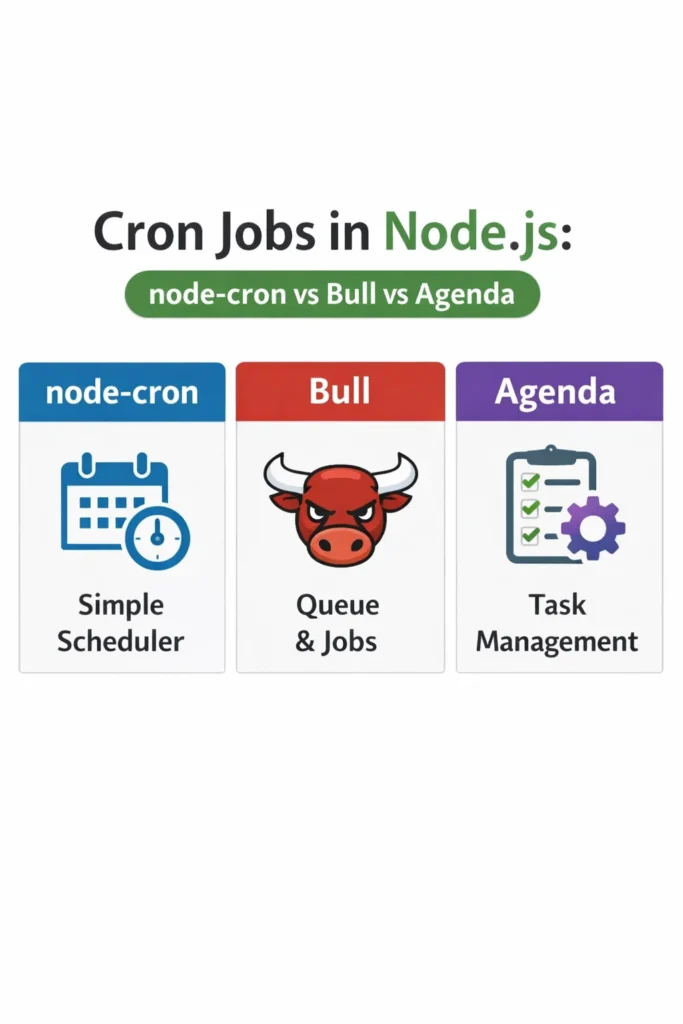
If you need to run scheduled tasks, retries, or recurring background work in a Node.js service, you will eventually compare node-cron, Bull, and Agenda. Each library solves a different slice of the problem, and picking the wrong one means rewriting your scheduler six months later when traffic or reliability requirements shift. This guide covers cron jobs in Nodejs from the perspective of production workloads, so you can choose deliberately rather than by habit.
You will see how each library handles scheduling, persistence, retries, concurrency, and horizontal scaling. Along the way, we cover the common mistakes that turn a “simple cron job” into a 3 AM incident. By the end, you will know which library fits a monolithic Express app, which fits a distributed worker fleet, and which fits a reporting pipeline that must not lose jobs.
What Are Cron Jobs in Node.js?
Cron jobs in Nodejs are scheduled tasks that run on a time-based interval inside a Node.js process. Instead of relying on the operating system’s crontab, the schedule lives in your application code, which lets you version it, test it, and deploy it with the rest of your service. The three dominant libraries — node-cron, Bull, and Agenda — differ in whether the schedule lives in memory, in Redis, or in MongoDB, and whether failed jobs retry automatically.
node-cron: In-Process Scheduling
node-cron is the simplest option. It parses standard cron expressions and triggers a callback on schedule, all inside the current Node.js process. There is no queue, no broker, and no persistence layer.
import cron from 'node-cron';

cron.schedule('0 2 * * *', async () => {
  try {
    await rotateLogFiles();
  } catch (error) {
    console.error('Log rotation failed:', error);
  }
}, {
  timezone: 'Europe/London'
});
The schedule 0 2 * * * runs every day at 2:00 AM. Because node-cron lives entirely in memory, if the process crashes at 1:59 AM and restarts at 2:01 AM, the job is simply skipped. That is the fundamental trade-off: simplicity in exchange for no durability.
node-cron also has no concept of a shared state. If you run three replicas of your service behind a load balancer, each replica fires the job independently, meaning your “daily log rotation” runs three times. For distributed deployments, this is usually the wrong tool.
Bull: Redis-Backed Job Queue with Scheduling
Bull (and its modern successor BullMQ) is a full job queue built on Redis. Scheduling is one feature among many — it also handles delayed jobs, priority, concurrency control, and automatic retries with exponential backoff. The state lives in Redis, so workers across multiple machines can cooperate safely.
import { Queue, Worker } from 'bullmq';

const reportsQueue = new Queue('reports', {
  connection: { host: 'redis.internal', port: 6379 }
});

await reportsQueue.add(
  'daily-sales-report',
  { tenantId: 'acme' },
  {
    repeat: { pattern: '0 2 * * *', tz: 'Europe/London' },
    attempts: 5,
    backoff: { type: 'exponential', delay: 60_000 }
  }
);

new Worker('reports', async (job) => {
  await generateSalesReport(job.data.tenantId);
}, {
  connection: { host: 'redis.internal', port: 6379 },
  concurrency: 4
});
Because the queue lives in Redis, only one worker in the cluster picks up each scheduled run. Moreover, if a job fails, Bull retries it up to five times with exponential backoff. This is the behavior most production systems actually need, but it comes with operational cost: you now depend on Redis, and you must think about Redis persistence, eviction policies, and failover.
For teams already running Redis, Bull is often the default. Furthermore, BullMQ adds TypeScript support, flow dependencies between jobs, and better observability through the bull-board UI. If you are starting fresh in 2026, prefer BullMQ over the original Bull package.
Agenda: MongoDB-Backed Scheduling
Agenda stores its schedule and job state in MongoDB. It targets teams that already use MongoDB and do not want to add Redis as another dependency. Agenda handles recurring schedules, one-off delayed jobs, and basic concurrency control.
import Agenda from 'agenda';

const agenda = new Agenda({
  db: { address: 'mongodb://mongo.internal/agenda', collection: 'jobs' }
});

agenda.define('send-weekly-digest', { concurrency: 2 }, async (job) => {
  const { userId } = job.attrs.data;
  await sendDigestEmail(userId);
});

await agenda.start();
await agenda.every('0 9 * * 1', 'send-weekly-digest', { userId: 'batch' });
Agenda writes each job document to MongoDB and uses findAndModify to atomically claim jobs, which prevents duplicate execution across workers. However, MongoDB was not designed as a job broker. Under heavy throughput — say, thousands of jobs per minute — Agenda’s polling model creates noticeable database load, and latency becomes less predictable than Bull’s Redis-backed approach.
On the other hand, if your workload is measured in dozens of scheduled jobs per hour, Agenda is fine and spares you a second data store. Notably, the project has had inconsistent maintenance over the years, so check recent commit activity before committing to it for a new project.
node-cron vs Bull vs Agenda: Key Differences
Here is a side-by-side comparison of the three libraries for cron jobs in Nodejs:
| Feature | node-cron | Bull / BullMQ | Agenda |
|---|---|---|---|
| Persistence | None (in-memory) | Redis | MongoDB |
| External dependency | None | Redis | MongoDB |
| Distributed coordination | No | Yes | Yes |
| Automatic retries | No | Yes (configurable) | Yes (basic) |
| Delayed / one-off jobs | No | Yes | Yes |
| Concurrency control | Per-process only | Per-queue, per-worker | Per-job definition |
| Typical throughput | Low (schedule-bound) | Very high | Low to medium |
| Observability tooling | Minimal | bull-board, Arena | agendash |
| Best for | Single-instance tasks | Distributed workers | MongoDB-first stacks |
| Active maintenance (2026) | Yes | Yes (BullMQ) | Intermittent |
This table targets a featured snippet for comparison queries. For a broader primer on choosing backing stores, see Redis Data Structures Beyond Caching.
When to Use node-cron
- You run exactly one instance of the service, with no horizontal scaling planned
- The task is idempotent and cheap enough that an occasional missed run is acceptable
- You want zero external dependencies for a small internal tool or CLI
- You need lightweight in-process scheduling inside a monolith (for example, cache warming or log flushing)
When to Use Bull (or BullMQ)
- You already run Redis, or adding it is inexpensive
- You need durable retries, delayed jobs, or priority queues alongside scheduling
- You run multiple worker replicas and need exactly-once scheduled execution
- Throughput is high — hundreds to thousands of jobs per minute
- You want mature observability through bull-board or similar dashboards
When to Use Agenda
- MongoDB is already your primary data store and adding Redis is a hard sell
- Your schedule is modest (dozens to low hundreds of jobs per hour)
- You want jobs visible in the same database as your application data
- You do not need the advanced retry strategies or flow dependencies Bull offers
When NOT to Use Each
node-cron is the wrong choice when you scale beyond one instance, because every replica fires the same job. Similarly, it is wrong for critical jobs that cannot be silently skipped during a restart. In those cases, use Bull or Agenda.
Bull is the wrong choice when Redis is not already part of your stack and the workload does not justify introducing it. Adding Redis for three scheduled jobs is premature infrastructure. In that case, node-cron on a single instance or Agenda on your existing MongoDB is more pragmatic.
Agenda is the wrong choice when throughput is high or latency sensitivity is tight. MongoDB’s polling overhead becomes a bottleneck well before Redis does. For a fintech reconciliation job that must run within seconds of its scheduled time, Bull is the safer pick.
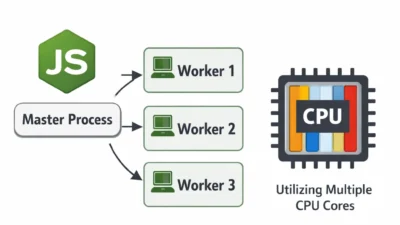
For teams running Node.js at scale, also consider how scheduling interacts with process model choices. See our guide on Node.js Clustering for Multi-Core Performance for how cron jobs behave across worker processes.
Real-World Scenario: Daily Billing Reconciliation
Consider a mid-sized SaaS platform running a daily billing reconciliation job at 3 AM UTC. The service runs four replicas on Kubernetes for request throughput, and reconciliation involves fetching invoices from Stripe, comparing them against the internal ledger, and emailing discrepancies to finance.
In the first iteration, the team used node-cron because it was already imported for a small cache refresh task. The reconciliation ran four times each night, producing four duplicate emails to finance and, worse, four concurrent API calls to Stripe that occasionally tripped rate limits. The symptom looked like a Stripe flake, but the root cause was the scheduling model.
The fix was to migrate the reconciliation job to BullMQ. Because Redis enforces atomic job claiming, only one replica picks up the scheduled run, and finance receives one clean report. Additionally, BullMQ’s retry configuration with exponential backoff handled transient Stripe 503s automatically, which had previously required a manual replay by on-call. The team kept node-cron for the in-memory cache refresh, because that task is idempotent and per-instance by design.
This split — node-cron for per-instance lightweight work, BullMQ for anything that must run exactly once across the cluster — is a common and defensible pattern.
Common Mistakes with Cron Jobs in Node.js
- Running node-cron in a multi-replica deployment and not realizing every replica fires the job
- Assuming Bull retries cover all failure modes; jobs that throw inside a setTimeout or detached promise still escape the error handler
- Forgetting to set a timezone; cron expressions default to UTC in node-cron and to the server clock in some Bull versions, which leads to jobs running at unexpected local times after a daylight-saving transition
- Storing large payloads directly in the job data; Redis and MongoDB both penalize large job documents, and it is better to pass an ID and fetch the payload inside the worker
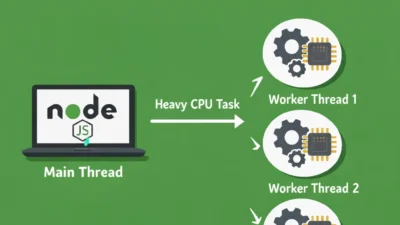
- Running the job scheduler inside the same process that serves HTTP traffic; a slow job blocks the event loop and degrades API latency. For background on this failure mode, see Node.js Memory Leaks: Detection and Prevention and Node.js Worker Threads for CPU-Intensive Tasks
- Skipping observability; a silently failing cron job is indistinguishable from a healthy one until the missing output is noticed downstream
Finally, avoid mixing schedules across libraries without a clear convention. If half your jobs live in node-cron and half in Bull, the next engineer has to learn both to understand the system. Pick one primary scheduler and justify exceptions explicitly.
Conclusion
Choosing between cron jobs in Nodejs libraries comes down to two questions: do you need the job to run exactly once across a cluster, and do you need durable retries? If the answer to either is yes, use BullMQ. If you already live in MongoDB and throughput is modest, Agenda is reasonable. Reserve node-cron for single-instance, idempotent, low-stakes tasks.
As a next step, audit your current schedulers against the deployment topology — if you run multiple replicas and still use node-cron for critical work, that is the first thing to fix. For deeper reading on related backend patterns, see our guide on building scalable Express.js project structures and distributed task queues with Celery and RabbitMQ for a cross-language perspective on the same problem space.