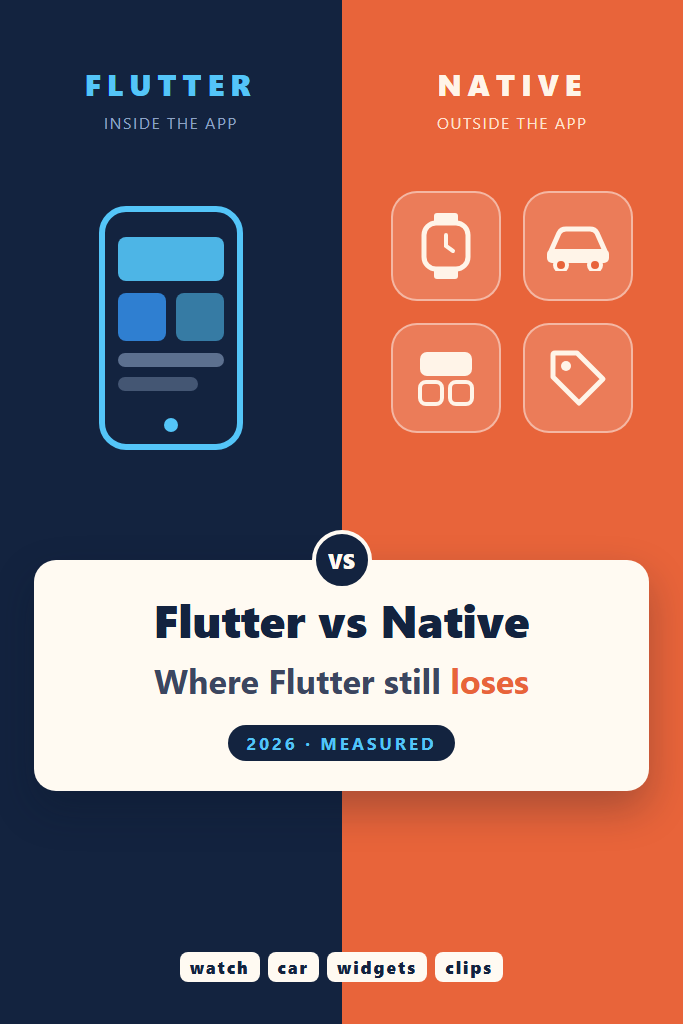
This post is for tech leads and mobile developers who have to pick a stack for a new app, or decide whether the next feature belongs in Flutter or in Swift and Kotlin. Most writing on Flutter vs native argues about frame rates and code reuse. Here the argument is narrower and easier to check: the specific places where native still wins in 2026, with numbers you can reproduce. You will see how many bytes the Flutter engine adds to every release build on Android and iOS, what that does to an App Clip, and who actually maintains the bridges to surfaces Flutter cannot draw. This site took the other side in build once, deploy everywhere with Flutter, so treat this as the counterweight.
The numbers in this post came from this environment:
Measured 2026-10-30
Windows 11 Pro 25H2 (build 26200), AMD Ryzen 5 8600G (6C/12T), 16 GB RAM
Flutter 3.47.9 (engine 89c39edf) and Flutter 3.35.2 (engine a8bfdfc3)
Dart 3.9.0 for the pub.dev script
Android NDK 27.0.12077973 (llvm-strip)
pub.dev API read on 2026-10-30
Nothing in this post was built or run on a device. The sizes come from the exact engine artifacts that Gradle and Xcode download for a release build, so they are byte counts rather than timings, and they come out identical on every run. That also sets the limits of the measurement, which a later section spells out.
Is Flutter Still Worth It Over Native in 2026?
For most apps that live inside their own screens, yes. Flutter still ships one UI to two stores with one team, and its rendering is good enough that users rarely notice. However, native wins whenever the product lives outside the app’s own canvas: App Clips, home screen widgets, Live Activities, watches, cars, and day-one platform design. In those cases Flutter is either absent or a bridge to native code you write anyway.
That answer is the whole Flutter vs native argument in four sentences. The rest exists because “it depends” is useless without knowing where the line sits. In fact, each case below names the mechanism that puts it on the native side, so you can check whether your app crosses that line.
What the Build-Once Promise Leaves Out
The earlier post on this site lists the reasons to pick Flutter: one Dart codebase for six platforms, “typically 80-95% code reuse”, hot reload, and “native performance using Flutter’s Skia rendering engine”. Each of those holds up for screens inside the app. The Skia line has aged, though. On iOS and on most Android devices the renderer is now Impeller, which this site’s Impeller migration post covers in detail.
The reuse figure deserves more care. Code reuse is measured against the code you write, so it says nothing about the surfaces you cannot write in Dart at all. For example, a home screen widget on iOS is a SwiftUI view in a WidgetKit extension. A Live Activity is the same. A watch app is a separate watchOS target. None of that code counts against your reuse percentage, because Flutter never had a share of it in the first place.
As a result, two apps can both report 90% reuse while one is a pure in-app product and the other has an App Clip, two widgets and a watch companion. The second app is effectively three native codebases with a Flutter app in the middle. The reuse number cannot tell those apps apart, and that is the gap this post is about.
Flutter vs Native: The Engine Floor, Measured
Every Flutter release build carries the engine: the renderer, the Dart runtime and the text stack. A native app gets those from the operating system for free. So the first concrete cost in any Flutter vs native comparison is a fixed number of bytes that you pay before writing a line of Dart.
Measuring it does not need a build. The framework pins an engine commit in bin/internal/engine.version, and the release artifacts for that commit are public. The script below downloads the same Android Maven jar that Gradle fetches for an arm64 release build, plus the iOS release xcframework, and then reads the binaries.
#!/usr/bin/env bash
# Measures the Flutter engine binary that every release app ships, per platform.
# Needs curl, unzip and the Android NDK's llvm-strip. No app is built.
set -euo pipefail

TAG=${1:-3.47.9}
STRIP=${STRIP:-"$ANDROID_HOME/ndk/27.0.12077973/toolchains/llvm/prebuilt/windows-x86_64/bin/llvm-strip"}
WORK=$(mktemp -d)
cd "$WORK"

# The engine build that a framework tag pins
HASH=$(curl -fsS "https://raw.githubusercontent.com/flutter/flutter/$TAG/bin/internal/engine.version")
echo "Flutter $TAG -> engine $HASH"

# Android: the same Maven artifact Gradle downloads for an arm64 release build
curl -fsS -o android.jar \
  "https://storage.googleapis.com/download.flutter.io/io/flutter/arm64_v8a_release/1.0.0-$HASH/arm64_v8a_release-1.0.0-$HASH.jar"
unzip -oq android.jar lib/arm64-v8a/libflutter.so
# The Android Gradle plugin strips native libraries when it packages a release APK
"$STRIP" --strip-unneeded -o libflutter.stripped.so lib/arm64-v8a/libflutter.so
echo "android arm64 libflutter.so as published: $(stat -c %s lib/arm64-v8a/libflutter.so)"
echo "android arm64 libflutter.so stripped:     $(stat -c %s libflutter.stripped.so)"

# iOS: the device slice of the release xcframework, which already ships stripped
curl -fsS -o ios.zip "https://storage.googleapis.com/flutter_infra_release/flutter/$HASH/ios-release/artifacts.zip"
unzip -oq ios.zip 'Flutter.xcframework/ios-arm64/Flutter.framework/*'
FW=Flutter.xcframework/ios-arm64/Flutter.framework
echo "ios arm64 Flutter binary:                 $(stat -c %s $FW/Flutter)"
echo "ios arm64 icudtl.dat:                     $(stat -c %s $FW/icudtl.dat)"
echo "ios arm64 engine total:                   $(( $(stat -c %s $FW/Flutter) + $(stat -c %s $FW/icudtl.dat) ))"
Google publishes the Android library with its symbols, which is why the raw file is enormous. Release packaging strips them, so the script strips a copy the same way and reports both. The iOS slice already ships stripped, and icudtl.dat is the Unicode data file that sits next to it inside Flutter.framework. On macOS, replace the STRIP path with the darwin-x86_64 NDK build.
Raw Output for Flutter 3.47.9 and 3.35.2
Here is what the script printed for the current stable release and for the version that the earlier Flutter app size measurements used:
$ bash engine_floor.sh 3.47.9
Flutter 3.47.9 -> engine 89c39edfdfae2949f6806e4a315c0c08522238b7
android arm64 libflutter.so as published: 165324816
android arm64 libflutter.so stripped:     11763360
ios arm64 Flutter binary:                 9432832
ios arm64 icudtl.dat:                     864880
ios arm64 engine total:                   10297712

$ bash engine_floor.sh 3.35.2
Flutter 3.35.2 -> engine a8bfdfc394deaed5c57bd45a64ac4294dc976a72
android arm64 libflutter.so as published: 147537368
android arm64 libflutter.so stripped:     11036856
ios arm64 Flutter binary:                 8627648
ios arm64 icudtl.dat:                     778864
ios arm64 engine total:                   9406512
Each tag was run once. These are file sizes of fixed, versioned artifacts, so a second run downloads the same bytes and prints the same numbers. The 3.47.9 Android figure was in fact produced twice during setup, once by hand and once by the script, and both runs printed 11763360.
The Engine Floor at a Glance
| Engine payload (arm64) | Flutter 3.35.2 | Flutter 3.47.9 | Change |
|---|---|---|---|
Android libflutter.so, stripped | 11,036,856 B | 11,763,360 B | +726,504 B (+6.6%) |
iOS Flutter binary | 8,627,648 B | 9,432,832 B | +805,184 B |
iOS icudtl.dat | 778,864 B | 864,880 B | +86,016 B |
| iOS engine total | 9,406,512 B | 10,297,712 B | +891,200 B (+9.5%) |
About fourteen months separate the two versions: 3.35.2 is from August 2025, and 3.47.9 shipped on 2026-10-29. Over that span the engine grew by roughly 0.7 MB on Android and 0.9 MB on iOS. That growth is not a scandal, since it pays for Impeller work and new platform features. Still, it is a number that only moves one way, and you inherit it with every upgrade.
What 11.8 MB Means on Android
The app size post measured a stock, empty Flutter 3.35.2 app as a 14,427,073-byte arm64 release APK. On the same Flutter version, the stripped engine is 11,036,856 bytes, which is 76.5% of that APK. In other words, about three quarters of an empty Flutter app on Android is the engine, and everything else, including your compiled Dart, the Java glue and the resources, shares the remaining 3,390,217 bytes.
For a typical consumer app on the Play Store, those 11 MB rarely decide anything. Users download larger games every day, and the store compresses the download. However, the floor matters in markets where users uninstall to free space, in pre-installed apps on low-end devices, and in any product competing on install conversion against a lighter native rival. A native Kotlin app starts from the platform’s own UI toolkit instead, so it has no equivalent payload to pay.
Case 1: App Clips and Instant Experiences
An App Clip is a small, fast-launching slice of an iOS app, opened from an NFC tag, a QR code, a Maps card or a link. Apple caps its size, and the App Store Connect limits apply to the uncompressed bundle after app thinning: 15 MB when the clip targets iOS 16 or later, 10 MB for older targets, and 100 MB only for clips on iOS 17 or later that support digital invocations alone, without App Clip Codes, QR codes or NFC tags.
Flutter’s own App Clip guide, updated 2026-10-23, warns that “depending on the size of your app, you might hit the limit”. It gives no figure, though, and the measurement above supplies one. The 3.47.9 iOS engine is 10,297,712 bytes before any Dart code, assets or plugins. Against a 15,000,000-byte budget that is 68.7% gone. Even read as 15 MiB, it is 65.5%.
The 10 MB tier is worse. The engine alone is already over 10,000,000 bytes. Read as 10 MiB, 188,048 bytes remain, which is less than one small image asset and nowhere near a compiled App.framework. So for a clip that has to support older iOS versions, Flutter is effectively not an option.
The 100 MB tier removes the size problem. In exchange, it removes the physical invocations, the tap-a-sticker and scan-a-code flows, which for many businesses are the whole reason to build a clip. In practice, then, a Flutter App Clip that works with physical codes is a Flutter app squeezed into roughly 4.7 MB of headroom, and that headroom shrank by 891,200 bytes over the last fourteen months. A SwiftUI App Clip starts from zero engine bytes instead, which makes this the starkest Flutter vs native gap in the post.
Case 2: Widgets, Live Activities and Surfaces Outside the App
Home screen widgets, lock screen widgets and Live Activities are not views inside your app. On iOS they are SwiftUI views running in a WidgetKit extension, which the system renders from timelines. On Android, home screen widgets run through RemoteViews or Jetpack Glance. Flutter has no renderer in either place.
The Flutter documentation on iOS app extensions is honest about this. It names the Share extension as a place where a FlutterViewController can run, and for widgets it points to the community home_widget package. That package can “render Flutter widgets in an app extension as an image”. A static image is fine for a logo or a chart snapshot. However, it is not an interactive widget, and it does not update itself on a timeline.
The same page adds a memory warning. It advises building extension UI in Flutter only if the extension supports at least 100MB of memory, and it notes that debug builds of Flutter extension UI may run out of memory on physical devices. That warning is a direct consequence of the engine floor: every Flutter surface brings its own engine instance.
So the realistic architecture for a widget-heavy app is a Flutter app plus native widget code in Swift and Kotlin, with shared data passed through app groups or shared preferences. That works well, and many apps ship exactly this. But count it honestly: the widget code is native code, written by someone who knows SwiftUI and Glance, and it is part of the Flutter vs native bill.
Case 3: Watches, Cars and the Big Screen
Flutter’s supported platforms page for 3.47 lists Android API 24 to 37, iOS 15 to 27, the three desktop platforms and the web. It does not list watchOS, tvOS, Wear OS, CarPlay or Android Auto. That is not an oversight. These surfaces either run their own UI frameworks or accept only system templates.
CarPlay and Android Auto are template-driven. Your app hands the system a list, a grid or a now-playing template, and the car draws it. No third-party renderer gets to paint pixels there, whether it is Flutter or anything else. Bridges such as flutter_carplay expose the templates to Dart, which genuinely helps, but the result looks exactly like a native CarPlay app because it is one.
Watches are a separate app. On watchOS that means a SwiftUI target, and the watch_connectivity package exists to talk to it, not to replace it. Wear OS is an Android variant, so Flutter can technically run there. Even so, it is not a listed platform, so round screens, rotary input and ambient mode are yours to handle without official support.
Case 4: Day-One Platform Design
Flutter draws every pixel itself. That is its main strength, because the app looks identical on every device and does not break when a manufacturer skins Android. It is also why Flutter loses on new platform design: when Apple or Google changes the look of the system, a native app often picks up much of the new look on recompile, while a Flutter app keeps its old look until someone reimplements the new one.
iOS 26 introduced Liquid Glass, and Android introduced Material 3 Expressive. In a post dated September 9, 2026, the Flutter team said that “work is already underway on official implementations of Liquid Glass and Material 3 Expressive”. The same post explains that Material and Cupertino now ship on pub.dev as material_ui and cupertino_ui, released as exact replicas of the in-framework libraries. So a year after the iOS 26 launch, the official widgets still render the previous design language.
The decoupling is good news over the long term, because the design libraries can now ship faster than the SDK. This site’s material_ui migration post covers the mechanics. In the meantime, community packages fill the gap, either by imitating glass with blur or by embedding native SwiftUI controls. The second approach gives real glass at the price of a platform view per control, which leads directly to Case 5.
Case 5: Apps That Are Mostly Platform Views
Some UI cannot be redrawn in Flutter: maps, web views, video players with DRM, and some ad SDKs. Flutter embeds these as platform views. The Android platform views documentation describes the trade-offs in plain terms.
Hybrid composition gives full native fidelity, but Flutter “merges the raster thread into the platform thread”, so rasterizing complex Flutter widgets next to the platform view “competes with other work on the platform thread”. The texture layer mode avoids that cost but “might cause jankiness on quick scrolling (such as a web view)” and broken accessibility for SurfaceView. The newer Hybrid Composition++ mode, experimental since Flutter 3.44, avoids both. However, it requires Android API 34 or later and Impeller on Vulkan, and devices on the OpenGL ES fallback do not get it.
An app with one map screen does not care. An app that is mostly a map with Flutter chrome on top, such as a ride-hailing or delivery tracker, pays this cost on its most important screen. In that shape of app, native code owns the main view anyway, and Flutter mostly adds a second rendering system and a bridge between them.
Case 6: Adding Flutter to an Existing Native App
Add-to-app lets a native app host Flutter screens. Teams often pick it to share one new feature across platforms without rewriting the app. Every number above applies to add-to-app too: the host app grows by the full engine, roughly 11.8 MB on Android and 10.3 MB on iOS at 3.47.9, for the first Flutter screen. That bundles the cost of a whole runtime into what reads like a feature ticket.
There is also an operational cost. The native team now builds against a second toolchain, the Flutter SDK version has to fit the host’s Xcode and Gradle setup, and every engine upgrade becomes a host app upgrade. Flutter’s FlutterEngineGroup reduces the memory cost of several Flutter screens, but it does not remove the first one. For a single screen, a native implementation on each platform usually costs less in total, even if it means writing the screen twice.
Who Maintains the Bridge? A pub.dev Sweep
Every case above ends in the same place: a Flutter app plus a bridge to native code. So the useful question is who maintains those bridges. pub.dev exposes the publisher, latest version and score of every package through a public API. The script below reads them for seven bridges to native-only surfaces and for five plugins that the Flutter team publishes as a control group.
// Reads publisher, latest version and score for each package from the pub.dev API.
// Usage: dart run pub_sweep.dart
import 'dart:convert';
import 'dart:io';

const packages = [
  // Bridges to surfaces that only exist as native UI or native processes
  'home_widget', 'live_activities', 'flutter_carplay', 'watch_connectivity',
  'workmanager', 'health', 'liquid_glass_native',
  // Controls: plugins the Flutter team publishes itself
  'camera', 'webview_flutter', 'google_maps_flutter', 'in_app_purchase', 'local_auth',
];

final client = HttpClient();

Future<Map<String, dynamic>> getJson(String path) async {
  final request = await client.getUrl(Uri.parse('https://pub.dev/api/packages/$path'));
  final response = await request.close();
  if (response.statusCode != 200) {
    throw HttpException('HTTP ${response.statusCode} for $path');
  }
  return jsonDecode(await response.transform(utf8.decoder).join())
      as Map<String, dynamic>;
}

Future<void> main() async {
  print('package                 latest      published   publisher            likes  dl30d     points');
  for (final name in packages) {
    final info = await getJson(name);
    final publisher = await getJson('$name/publisher');
    final score = await getJson('$name/score');
    final latest = info['latest'] as Map<String, dynamic>;
    print([
      name.padRight(23),
      (latest['version'] as String).padRight(11),
      (latest['published'] as String).substring(0, 10).padRight(11),
      ((publisher['publisherId'] as String?) ?? '(none)').padRight(20),
      '${score['likeCount']}'.padLeft(5),
      '${score['downloadCount30Days']}'.padLeft(9),
      '${score['grantedPoints']}/${score['maxPoints']}'.padLeft(9),
    ].join(' '));
  }
  client.close();
}
The script uses only dart:io and dart:convert, so it runs with a bare dart run and no pubspec.yaml. It fails loudly on any non-200 response instead of printing a half-filled row. Here is the output from 2026-10-30, run once, because it is a snapshot of live data rather than a timing:
$ dart run pub_sweep.dart
package                 latest      published   publisher            likes  dl30d     points
home_widget             0.10.0      2026-09-17  antonborri.es         2221    306943   160/160
live_activities         2.6.0       2026-09-11  dimitridessus.fr       660     71111   150/160
flutter_carplay         1.7.1       2026-10-06  oguzhanatalay.com      184      4659   160/160
watch_connectivity      0.2.11      2026-10-19  rexios.dev              95     16732   160/160
workmanager             0.10.10     2026-09-07  fluttercommunity.dev  2424    343181   140/160
health                  13.3.2      2026-08-14  carp.dk                682    236987   160/160
liquid_glass_native     0.3.1       2026-08-19  (none)                   2       261   150/160
camera                  0.12.2      2026-10-27  flutter.dev           2603   1017305       0/0
webview_flutter         4.14.1      2026-07-07  flutter.dev           4534   3965872   160/160
google_maps_flutter     2.19.0      2026-10-14  flutter.dev           4630   1144522   150/160
in_app_purchase         3.3.1       2026-09-18  flutter.dev           2497    785555   160/160
local_auth              3.0.2       2026-07-09  flutter.dev           3383   1895138   160/160
The camera row shows 0/0 points because its latest version was published three days before the read and pub.dev had not scored it yet. That is a pub.dev timing artifact, not a quality signal.
What the Sweep Says
First, the good news: every bridge is maintained. All seven had a release within the last three months, and most score full or near-full pub points. Nothing in this table is abandonware, which is better than the reputation of the ecosystem suggests.
The pattern is still clear. All five control plugins carry the flutter.dev publisher. None of the seven native-surface bridges do: four are published under personal domains, one under the Flutter Community organisation, one under a health research group, and one has no verified publisher at all. Moreover, adoption drops sharply at the edges. flutter_carplay had 4,659 downloads in thirty days and liquid_glass_native had 261, against roughly one million for camera.
That gap is the real Flutter vs native cost in these cases. A native team reads Apple’s and Google’s own documentation for CarPlay or WidgetKit, and the platform vendor maintains those APIs. By contrast, a Flutter team depends on one maintainer to track every OS release, and still writes the SwiftUI or Glance part itself. When that maintainer moves on, the bridge becomes yours. Writing native platform channels for Flutter plugins is the skill you need on the day that happens.
The Case for Flutter, Argued Honestly
None of this settles Flutter vs native in favour of native for most apps. A typical product app, such as a booking flow, a banking client, a marketplace or an internal tool, lives entirely inside its own screens. For that app, the engine floor is a one-time cost, the widgets and watch faces do not exist, and one team shipping one codebase to two stores is a large and lasting saving. Flutter also renders a custom brand design identically everywhere, which native toolkits make harder, not easier.
The design lag in Case 4 also cuts both ways. A native app that adopts the new system look on recompile can break a carefully designed brand UI, while a Flutter app stays exactly as designed until the team chooses to change it. For brand-driven products, that predictability is a feature.
Finally, native is no longer the only alternative. Compose Multiplatform reached stable for iOS in version 1.8.0 in May 2025, and Kotlin Multiplatform can share business logic while keeping both UIs native. A team that loses several of the cases above has a middle path, sharing the logic but not the UI, before it gives up on code sharing entirely. That option was not measured here, and its own runtime size is a question for a separate post.
A Real Scenario: The Coffee Chain App
Consider a small team, two or three mobile developers, building an ordering app for a regional coffee chain over a few months. The core flow is the classic Flutter case: menu, cart, payments, order history, and the same brand look on both platforms. Flutter is the natural choice, and on the core app the Flutter vs native question is not close.
Then the roadmap grows. Marketing wants table-side ordering from an NFC sticker without installing the app. That is an App Clip with physical invocation, so it falls under the 15 MB limit, and two thirds of that budget goes to the engine. Operations wants order progress on the lock screen, which means a Live Activity in SwiftUI. Additionally, product wants a home screen widget with the customer’s usual order.
None of these is a reason to rewrite the app in native code. Instead, they change what the team needs to staff. The realistic plan keeps the core app in Flutter, writes the clip, the Live Activity and the widgets natively, and shares data through an app group. The mistake would be pitching the project as a single-codebase app and then discovering in month four that the highest-visibility features need a Swift developer.
When to Use Flutter Instead of Native
- Your product lives inside its own screens: forms, lists, feeds, checkout and dashboards
- One small team has to ship to iOS and Android on the same schedule
- A custom brand design matters more than matching each platform’s latest look
- Platform features stay within what
flutter.devplugins cover: camera, maps, web views, payments, biometrics - An extra 10 to 12 MB per architecture is irrelevant to your install funnel
When NOT to Use Flutter Over Native
- An App Clip with physical invocation is central to the product, because the engine alone takes about two thirds of the 15 MB budget
- Widgets, Live Activities, watch apps or car integrations are core features rather than extras
- The main screen is a platform view, such as a full-screen map or web view, with UI layered on top
- You are adding a single feature to a large native app, where add-to-app ships a whole engine for one screen
- Day-one adoption of the newest iOS or Android design language is a business requirement
Common Mistakes in the Flutter vs Native Decision
- Quoting code-reuse percentages without counting the native extensions the roadmap requires
- Treating a community bridge package as if the Flutter team maintained it
- Budgeting App Clip size from the Dart code alone, without the 10.3 MB iOS engine
- Assuming a Flutter developer can build the WidgetKit or Glance part without SwiftUI or Kotlin experience
- Choosing add-to-app for one screen and discovering the engine upgrade cadence later
- Comparing frame rates when the deciding factor is which surfaces the app needs
What This Measurement Does Not Cover
The engine sizes are uncompressed binary sizes, not download sizes. App Store and Play Store downloads are compressed, and users see smaller numbers. App Clip limits, however, apply to the uncompressed thinned bundle, so the comparison in Case 1 uses the right unit. Only arm64 was measured, and neither a Flutter nor a native app was built for this post, so the iOS figures exclude the compiled Dart in App.framework, which only adds to the total.
The Android share of 76.5% combines an engine measured here with an APK measured in an earlier post on the same Flutter version, 3.35.2. Nothing here measures frame times, startup time or memory on a device, and the pub.dev table is a snapshot of one day. Downloads and likes move weekly, so read them as orders of magnitude rather than rankings. Finally, the cases are judged as of Flutter 3.47.9. Liquid Glass and Material 3 Expressive support is in progress, and Case 4 should be re-checked on every stable release.
Conclusion
Flutter vs native in 2026 is not a contest of frame rates. Flutter still wins for apps that live inside their own screens. Native still wins wherever the product reaches outside them: App Clips, where the 10,297,712-byte iOS engine eats about two thirds of the 15 MB budget, and widgets, Live Activities, watches, cars and day-one platform design, where Flutter is either absent or a bridge to native code you write anyway.
Before your next stack decision, list every surface on the roadmap, not just the screens, and mark each one Flutter, bridge or native. If the native column has more than one or two entries, staff for Swift and Kotlin from the start. Then reread the build-once strategy post with that list in hand, and decide which of the two posts describes your app.