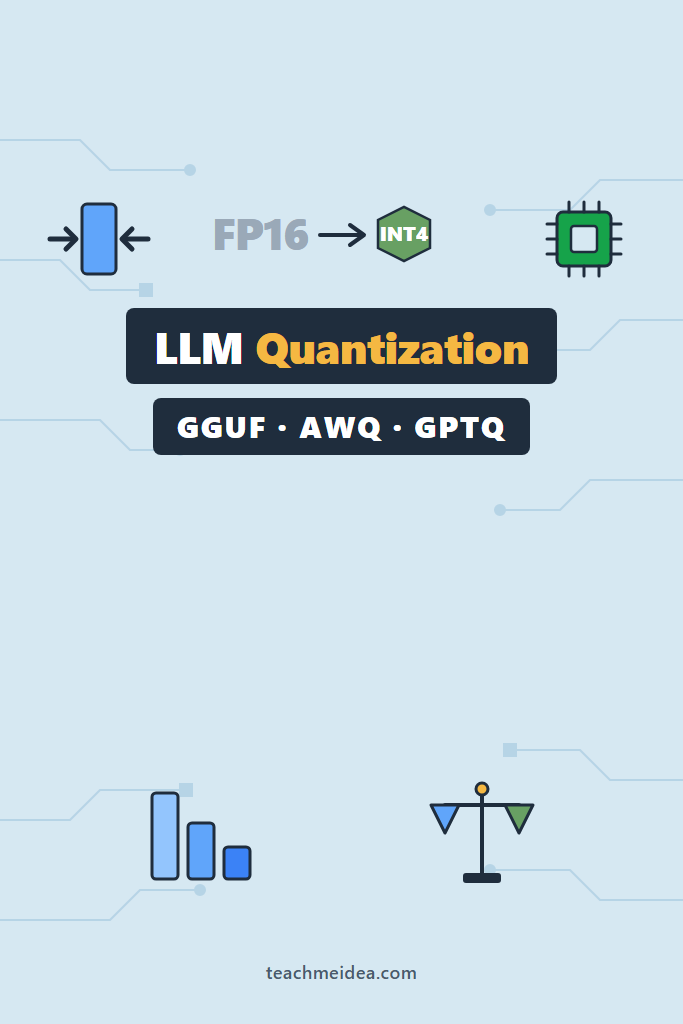
If you have ever tried to run a capable open model on your own hardware, you have hit the wall: a 70B model in full precision wants roughly 140GB of memory, and your GPU has 24. LLM quantization is the technique that closes that gap. It compresses model weights from 16-bit floats down to 4-bit (or even lower) integers, so a model that needed a data-center GPU can suddenly run on a gaming card or a Mac Mini.
This post is for developers who keep seeing filenames like Q4_K_M, AWQ, and GPTQ and want to know what they actually mean. By the end, you will understand how quantization works under the hood, the practical differences between the three dominant formats, and a clear decision framework for picking one. No deep math required — just the mental model you need to choose correctly.
What Is LLM Quantization?
LLM quantization is the process of reducing the numerical precision of a model’s weights, typically from 16-bit floating point (FP16) down to 8-bit or 4-bit integers. This shrinks the model’s memory footprint by 2x to 4x and speeds up inference, at the cost of a small, usually negligible drop in output quality. It is the single most important technique for running large models on consumer hardware.
The core idea is simple. A trained model is just billions of numbers. Each weight is normally stored as an FP16 value, taking 2 bytes. A 7B-parameter model therefore needs about 14GB just to load. Quantization maps those high-precision numbers onto a much smaller set of buckets — for 4-bit, only 16 possible values — and stores which bucket each weight lands in. The result is dramatically smaller, and modern methods recover most of the lost accuracy.
How Quantization Actually Works
Think of precision like a photo’s color depth. A 16-bit image stores subtle gradients; an 8-bit image looks nearly identical but uses half the space; a 4-bit image starts showing banding but is still recognizable. Model weights behave the same way. Most of a network’s “knowledge” survives aggressive rounding because neural networks are inherently redundant.
The naive approach, called round-to-nearest, simply divides each weight’s range into equal buckets. However, this loses too much accuracy at 4-bit because a few large “outlier” weights dominate the range and squash everything else. Modern quantization methods solve this by being smarter about which weights to protect.
Here is the key distinction between formats. Some run quantization with a calibration dataset — they feed sample text through the model and measure which weights matter most for real outputs, then preserve those more carefully. Others quantize purely from the weights themselves. This calibration choice drives most of the practical differences you will encounter.
GGUF, AWQ, and GPTQ Compared
The three formats you will meet most often each target a different runtime and use case. The table below summarizes the trade-offs before we dig into each one.
| Feature | GGUF | GPTQ | AWQ |
|---|---|---|---|
| Primary runtime | llama.cpp, Ollama | GPU (transformers, vLLM) | GPU (vLLM, TGI) |
| Best hardware | CPU, Apple Silicon, mixed | NVIDIA GPU | NVIDIA GPU |
| Calibration needed | No | Yes | Yes |
| CPU inference | Excellent | Poor | Poor |
| Typical bit options | 2–8 bit, many variants | 3, 4, 8 bit | 4 bit |
| Quality at 4-bit | Strong | Good | Strongest (often) |
GGUF: The Format for CPUs and Apple Silicon
GGUF (GPT-Generated Unified Format) is the native format of the llama.cpp project, and it is the one you want when GPU VRAM is scarce or absent. Its defining feature is flexibility: GGUF can offload some layers to a GPU and keep the rest on the CPU, which means you can run a model that does not fully fit in VRAM. For Mac users, it leverages Apple’s unified memory beautifully.
GGUF uses a naming scheme that confuses newcomers. A file like llama-3-8b-Q4_K_M.gguf encodes its quantization recipe. The Q4 means 4-bit, K means the newer “k-quant” method that varies precision per layer, and M means medium size within that family. In practice, Q4_K_M is the recommended default — it hits the sweet spot of size and quality. Step up to Q5_K_M or Q6_K if you have spare memory, or down to Q3_K_M only when you must.
GPTQ: The Established GPU Format
GPTQ (Generalized Post-Training Quantization) was one of the first methods to make 4-bit GPU inference practical, and it remains widely supported. It uses a calibration dataset and a clever error-correction step: as it quantizes each weight, it adjusts the remaining weights to compensate for the rounding error introduced. This keeps accuracy high even at 4-bit.
Because GPTQ runs entirely on the GPU, it is fast — but it offers no CPU fallback. You need enough VRAM to hold the whole quantized model. For a 4-bit 13B model, that means roughly 8GB to 10GB. GPTQ integrates cleanly with the Hugging Face transformers library and serving stacks, so it is a safe choice when your deployment target is a known NVIDIA GPU.
AWQ: Activation-Aware and Often the Most Accurate
AWQ (Activation-aware Weight Quantization) is the newest of the three and frequently the most accurate at 4-bit. Instead of treating all weights equally, it identifies the small fraction of weights that handle the largest activations and protects them, quantizing the rest aggressively. The insight is that roughly 1% of weights account for most of the quality, so guarding them pays off disproportionately.
In production serving, AWQ has become a favorite because it pairs strong accuracy with fast GPU kernels in vLLM and other engines. If you are serving an open model at scale on NVIDIA hardware, AWQ is often the best starting point. Like GPTQ, it requires calibration and provides no meaningful CPU path.
Choosing a Quantization Level
Format is only half the decision; the bit level matters just as much. The pattern below holds across formats and is the practical guidance most teams converge on.
- 4-bit is the default for almost everyone. It cuts memory ~4x with quality loss that is hard to notice in normal use.
- 5-bit and 6-bit are worth it when you have spare memory and want to close the small remaining quality gap, common on Apple Silicon with generous unified memory.
- 8-bit is near-lossless and useful when correctness is critical, but it doubles memory versus 4-bit and rarely justifies the cost.
- 3-bit and 2-bit are last resorts. Quality degrades noticeably, and they only make sense to squeeze a model that otherwise will not load at all.
For a deeper look at running these formats on actual hardware, see the guide on llama.cpp for CPU quantized LLMs and the walkthrough on running 70B models on a Mac Mini, where quantization is what makes the whole thing possible.
A Real-World Scenario: Picking a Format for a Side Project
Consider a solo developer building a private document-chat tool on a workstation with a single 16GB NVIDIA GPU. They want a 13B-class model for better reasoning, but FP16 would need around 26GB — far too much. This is the exact situation quantization exists for, and the decision plays out in a predictable way.
A 4-bit quantized 13B model lands near 8GB, leaving room for context and a second model. Because the target is a fixed NVIDIA GPU and the workload is steady serving rather than occasional prompts, an AWQ or GPTQ build running under vLLM gives the best throughput. The trade-off is rigidity: if they later switch to a laptop without a discrete GPU, that GPU-only build is useless, and they would need to re-download a GGUF version to fall back to CPU and Apple Silicon. Planning the format around the deployment target, not just today’s machine, avoids that rework.
When to Use GGUF
- You are running on CPU, Apple Silicon, or a GPU that cannot hold the full model.
- You want one file that works across llama.cpp, Ollama, and LM Studio.
- You value the flexibility to offload only some layers to the GPU.
- You are experimenting locally and want the widest model availability.
When NOT to Use GGUF
- You are serving at scale on dedicated NVIDIA GPUs, where AWQ or GPTQ in vLLM gives higher throughput.
- You need the absolute fastest token generation and have VRAM to spare.
- Your stack is built entirely around the Hugging Face GPU serving ecosystem.
Common Mistakes with LLM Quantization
- Picking too aggressive a bit level (2-bit or 3-bit) when 4-bit would have fit fine and preserved more quality.
- Downloading a GPTQ or AWQ build, then being surprised it will not run on a CPU-only machine.
- Comparing a quantized small model against a full-precision large model and blaming quantization for the quality gap.
- Ignoring the
_K_Mversus_0distinction in GGUF and grabbing an older, lower-quality quant by accident. - Assuming all 4-bit models are equal — calibration quality and method genuinely affect output.
Does Quantization Hurt Model Quality?
Quantization does reduce quality, but at 4-bit and above the drop is small enough that most users cannot detect it in everyday tasks. Benchmark scores typically fall by low single-digit percentages going from FP16 to a well-made 4-bit quant. The effect grows at 3-bit and becomes obvious at 2-bit. For chat, summarization, and coding assistance, a good 4-bit model is hard to distinguish from the original.
The exception is tasks that demand precision, such as exact arithmetic, strict structured output, or long chains of dependent reasoning. There, the small errors compound, and bumping to 5-bit, 6-bit, or 8-bit can help. When quality matters more than memory, treat higher precision as the cheap insurance it is.
Conclusion
LLM quantization is what turns “you need a data-center GPU” into “this runs on the hardware you already own.” For local and CPU-friendly work, reach for GGUF at Q4_K_M and adjust up or down only if memory or quality demands it. For high-throughput GPU serving on NVIDIA, start with AWQ for accuracy or GPTQ for its broad, mature support. The next step is practical: pick the format that matches your deployment target, download a 4-bit build, and benchmark it on your own prompts.
To put this into practice, set up a local runtime first with the guide to Ollama for local LLMs or the LM Studio walkthrough, then explore production serving in the vLLM self-hosted serving guide. To squeeze more speed from a quantized model, the post on speculative decoding for local inference is the logical follow-up.
1 Comment
Comments are closed.