If your team keeps fielding the same “can you pull the numbers for X?” requests in Slack, a Vanna 2.0 text-to-SQL agent for Postgres turns those questions into real SQL without a human in the loop. This guide is for backend and data engineers who want a self-improving natural-language-to-SQL layer over an existing Postgres database, not a toy demo. You will learn how the new agent framework works, how to wire it to Postgres safely, how Tool Memory makes it smarter over time, and how to ship it to production.
Vanna 2.0 is a major rewrite. If you used the old vn.train() and vn.ask() calls, almost everything has changed. Instead of a single object, you now compose an Agent from an LLM service, a tool registry, a memory backend, and a user resolver. That shift is what makes the new version production-ready, so it is worth understanding before you write a line of code.
What Is the Vanna 2.0 Text-to-SQL Agent?
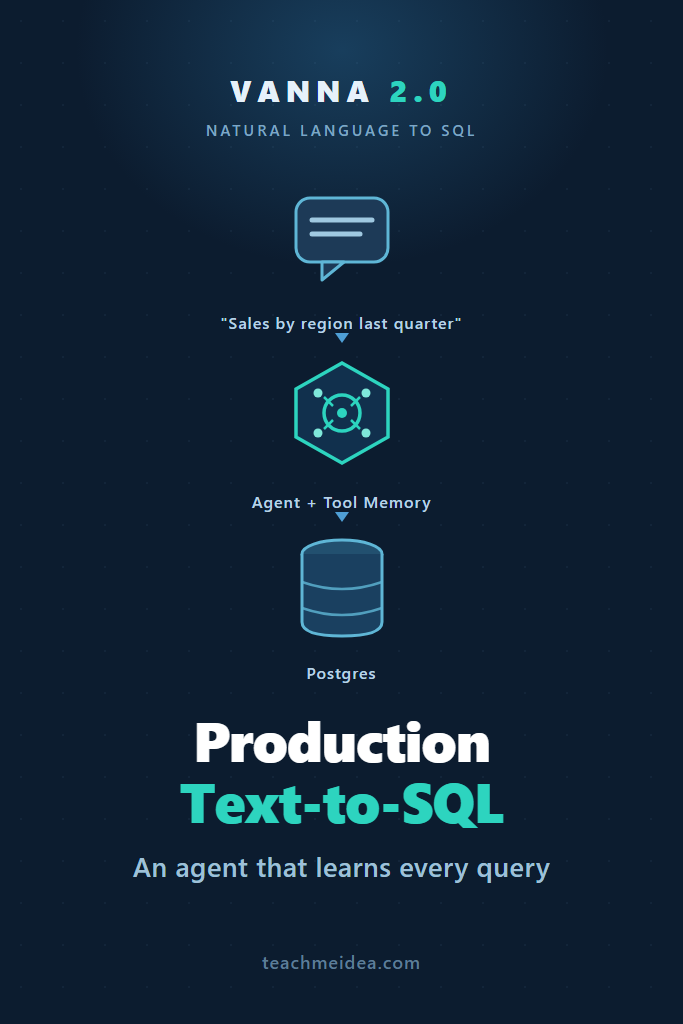
Vanna 2.0 is an open-source, user-aware AI agent framework that connects a large language model to your database and generates, runs, and explains SQL from natural-language questions. Unlike the original library, it learns from successful interactions through Tool Memory, enforces per-user permissions, and ships with a FastAPI server. In short, it is text-to-SQL built for real applications.
The core idea is that asking a question is now an agentic loop. The agent receives a message, decides which registered tool to call, executes SQL against your database, and can save what worked for next time. Because every capability is a tool, you control exactly what the model can and cannot do.
How Vanna 2.0 Differs From the 0.x Series
The old API treated text-to-SQL as one function: you trained on schema and example pairs, then called ask(). That worked for prototypes but broke down in production because there were no permissions, no audit trail, and no clean way to extend behavior.
Vanna 2.0 replaces that with composable parts. The table below maps the mental model.
| Concern | Vanna 0.x | Vanna 2.0 |
|---|---|---|
| Entry point | Single vn object | Agent composed of services |
| Database access | Built into vn | RunSqlTool + a runner (e.g. PostgresRunner) |
| Learning | vn.train() | Tool Memory via memory tools |
| Permissions | None | Access groups per tool |
| Deployment | DIY Flask app | Built-in VannaFastAPIServer |
| Migration path | n/a | LegacyVannaAdapter wraps old vn |
Notably, you do not have to rewrite everything at once. The LegacyVannaAdapter lets an existing 0.x setup run inside the new agent, which we cover at the end.
Prerequisites
Before you start, make sure you have the following in place. Each item maps directly to a component you will configure.
- Python 3.10 or newer and a virtual environment
- A reachable Postgres database with a read-only role for the agent
- An LLM provider key (this guide uses Anthropic’s Claude)
- Basic familiarity with how AI agents call tools — if that is new, read our primer on building AI agents with tools, planning, and execution first
A read-only database role matters more than it sounds. Because the agent executes generated SQL, the database itself should be your last line of defense against a destructive query.
Step 1: Install Vanna and Connect to Postgres
First, install the package with the Postgres and Anthropic extras. Pulling only the integrations you need keeps the dependency tree small.
# Install Vanna with the Postgres runner and Anthropic LLM integration
pip install "vanna[postgres,anthropic]"

# Verify the install
python -c "import vanna; print(vanna.__version__)"
Next, confirm the agent can reach your database. The PostgresRunner is the component that actually executes SQL, so testing it in isolation saves debugging time later.
from vanna.integrations.postgres import PostgresRunner

# A dedicated read-only role limits blast radius if the LLM writes a bad query
runner = PostgresRunner(
    host="localhost",
    database="analytics",
    user="vanna_readonly",
    password="...",  # load from an environment variable in real code
)
Because the runner holds your credentials, never hardcode the password. Instead, pull it from an environment variable or your secrets manager. A read-only role plus externalized credentials is the baseline for letting any LLM touch your database.
Step 2: Build the Agent With a Postgres Runner
Now assemble the agent. An agent needs four things: an LLM service, a tool registry, a user resolver, and an agent memory. We will start with the minimum and add learning in the next step.
from vanna import Agent, AgentConfig
from vanna.core.registry import ToolRegistry
from vanna.core.user import CookieEmailUserResolver
from vanna.integrations.anthropic import AnthropicLlmService
from vanna.integrations.postgres import PostgresRunner
from vanna.integrations.local.agent_memory import DemoAgentMemory
from vanna.tools import RunSqlTool

# 1. Register the SQL tool, scoped to the "analysts" group
tools = ToolRegistry()
tools.register_local_tool(
    RunSqlTool(sql_runner=PostgresRunner(
        host="localhost",
        database="analytics",
        user="vanna_readonly",
        password="...",
    )),
    access_groups=["analysts"],  # only analysts may run SQL
)

# 2. Compose the agent
agent = Agent(
    llm_service=AnthropicLlmService(
        model="claude-sonnet-4-6",
        api_key="...",  # load from env
    ),
    tool_registry=tools,
    user_resolver=CookieEmailUserResolver(),
    agent_memory=DemoAgentMemory(max_items=1000),
    config=AgentConfig(),
)
Here, RunSqlTool wraps the runner, and register_local_tool attaches it to the registry with an access group. The model can only run SQL because you explicitly gave it that tool. Consequently, expanding or restricting what the agent does is a registration change, not a prompt change.
The AnthropicLlmService handles the model calls. You can swap in a different provider’s service without touching the rest of the agent, which is useful when you are comparing cost and latency. If Claude is new to you, our getting started with the Claude API walkthrough explains the basics.
Step 3: Add Tool Memory So the Agent Learns
This step is what separates Vanna 2.0 from a plain “send schema to an LLM” script. Tool Memory stores the question, the tool that was used, and the arguments that worked, then retrieves similar past examples by semantic similarity when a new question arrives.
How Tool Memory Works
When a user asks “show me revenue by region last quarter,” the agent runs SQL and, if successful, can save that question-to-SQL mapping. Later, when someone asks “what was revenue per region in Q2,” the agent searches memory, finds the earlier example, and uses it to write better SQL. As a result, the system encodes your business logic automatically over time.
To enable it, register the memory tools. They read and write the agent memory backend through the tool context.
from vanna.tools.agent_memory import (
    SaveQuestionToolArgsTool,
    SearchSavedCorrectToolUsesTool,
    SaveTextMemoryTool,
)

# Searching is safe for everyone; saving is admin-only to avoid memory poisoning
tools.register_local_tool(SearchSavedCorrectToolUsesTool(), access_groups=["analysts", "admin"])
tools.register_local_tool(SaveQuestionToolArgsTool(), access_groups=["admin"])
tools.register_local_tool(SaveTextMemoryTool(), access_groups=["admin", "analysts"])
Notice the permission split. Everyone can search saved examples, but only admins can persist new question-to-SQL pairs. That guardrail prevents a careless or malicious user from teaching the agent a wrong query that then pollutes everyone’s results.
Seeding Memory With Verified Examples
You do not have to wait for organic usage. A common approach is to seed memory with a handful of hand-verified question-and-SQL pairs that cover your most important tables. Even five or ten good examples sharply improve accuracy on related questions, because the retrieval step gives the model concrete, correct patterns to imitate.
Step 4: Enforce Permissions With Access Groups
In a real deployment, not every user should query every table. Vanna 2.0 enforces this when tools are registered. You pass access_groups, and the agent checks the requesting user’s group membership before allowing a tool call.
An empty list means the tool is open to all users, whereas a non-empty list requires membership in at least one named group. To make that work, you map incoming requests to users with a UserResolver.
from vanna.core.user import UserResolver, User, RequestContext

class HeaderUserResolver(UserResolver):
    async def resolve_user(self, request_context: RequestContext) -> User:
        # In production, validate a JWT or session here instead of trusting a header
        email = request_context.get_cookie("vanna_email")
        groups = ["analysts"] if email and email.endswith("@yourcompany.com") else []
        return User(id=email, email=email, group_memberships=groups)
This resolver decides which groups a user belongs to, and the tool registry does the rest. Because permissions live at the tool layer, a user without the analysts group simply cannot trigger RunSqlTool, no matter how the prompt is phrased. That is a meaningful defense against prompt-injection attempts that try to escalate access. For the broader picture on locking down generated SQL, see our guide on preventing SQL injection with parameterized queries.
Step 5: Query the Agent Over Streaming
With the agent built, expose it through the bundled FastAPI server. The server gives you a web UI plus a streaming chat endpoint, so you do not have to write transport code.
from vanna.servers.fastapi import VannaFastAPIServer

server = VannaFastAPIServer(agent)
server.run(host="0.0.0.0", port=8000)
To call it from your own application, post to the SSE endpoint and read the stream. Streaming matters because SQL generation and execution can take a few seconds, and users want to see progress rather than a spinner.
import requests, json

response = requests.post(
    "http://localhost:8000/api/vanna/v2/chat_sse",
    json={
        "message": "Show me total sales by region for last quarter",
        "conversation_id": "conv_123",
        "metadata": {},
    },
    headers={"Authorization": "Bearer your-jwt-token"},
    stream=True,
)

# Each line is a Server-Sent Event chunk
for line in response.iter_lines():
    if line and line.startswith(b"data: "):
        data = line[6:].decode("utf-8")
        if data != "[DONE]":
            print(json.loads(data))
The agent streams its steps as it works: choosing a tool, running the query, and returning rows. If you are building a chat UI on top, the pattern mirrors any other LLM stream. Our walkthrough on streaming AI chatbot responses explains how to render these chunks cleanly on the frontend.
Step 6: Move From Demo Memory to Production
DemoAgentMemory keeps everything in process, which is fine locally but loses all learned examples on restart and cannot scale across multiple workers. For production, you need a persistent, shared vector store behind the memory interface.
You have two main options. The managed route uses Vanna Cloud, which handles vector storage for you.
from vanna.integrations.premium.agent_memory import CloudAgentMemory

memory = CloudAgentMemory(
    api_key="your-vanna-api-key",
    workspace_id="your-workspace-id",
)
Alternatively, you can self-host memory by implementing the AgentMemory interface against your own vector store. Since you already run Postgres, pgvector is a natural fit and keeps everything in one database.
from typing import Any, Dict, List
from vanna.capabilities.agent_memory import AgentMemory

class PgVectorAgentMemory(AgentMemory):
    async def save_tool_usage(
        self, question: str, tool_name: str, args: Dict[str, Any],
        context, success: bool = True,
    ) -> None:
        # Embed the question, then INSERT into a pgvector-backed table
        ...

    async def search_similar_usage(
        self, question: str, context, limit: int = 10,
        similarity_threshold: float = 0.7,
    ) -> List:
        # Embed the question and run a vector similarity query (ORDER BY embedding <=> ...)
        ...
This keeps your learned examples in the same Postgres instance as your data, which simplifies backups and access control. To implement the embedding and similarity search, follow our guide on building RAG with pgvector in Postgres. Additionally, because the agent now hits Postgres for both queries and memory, review Postgres connection pooling with PgBouncer so you do not exhaust connections under load.
Real-World Scenario: Rolling Out to a Data Team
Consider a mid-sized SaaS company where a small data team of three people fields dozens of ad-hoc reporting requests each week from sales and support. Over several weeks, they pilot a Vanna 2.0 text-to-SQL agent against a read-only replica, starting with a single revenue-reporting schema rather than the whole warehouse.
Early on, the agent handles straightforward questions well but stumbles on company-specific terms, such as an internal definition of “active account.” The team fixes this by seeding Tool Memory with about a dozen verified question-and-SQL pairs and by adding SaveTextMemoryTool notes that define those terms. Subsequently, accuracy on related questions improves noticeably, because retrieval now surfaces the correct patterns.
The key trade-off they accept is scope. Rather than exposing every table on day one, they keep the agent limited to a few well-documented schemas and the analysts group. That constraint trades breadth for trust, which is the right call when non-engineers are about to act on the numbers the agent returns.
When to Use Vanna 2.0
- You want self-service analytics for non-technical users over an existing Postgres database
- Your team repeatedly answers similar ad-hoc data questions and wants the system to learn those patterns
- You need per-user permissions and an audit-friendly tool layer around generated SQL
- You are comfortable starting with a narrow, well-documented schema and expanding gradually
When NOT to Use Vanna 2.0
- Your queries must be 100% correct with zero tolerance for a wrong number (use curated, reviewed dashboards instead)
- You only have a handful of fixed reports that rarely change, where hand-written SQL is simpler
- Your data lives across many poorly documented tables with no clear naming, since the agent will struggle without context
- You cannot grant even read-only programmatic access to the database for security or compliance reasons
Common Mistakes with Vanna 2.0
- Giving the agent a read-write database role instead of a read-only one, leaving destructive queries possible
- Letting every user save to Tool Memory, which lets one bad example poison results for everyone
- Skipping seeded examples and expecting accurate SQL on company-specific terms from day one
- Leaving
DemoAgentMemoryin production, so all learned patterns vanish on restart - Exposing the entire warehouse at launch rather than starting with a few documented schemas
Conclusion
A Vanna 2.0 text-to-SQL agent for Postgres is no longer a single function call; it is a composed agent with tools, permissions, and memory that improves with use. Start narrow: connect a read-only role, register RunSqlTool for one schema, seed a dozen verified examples into Tool Memory, and lock saving to admins. Once the agent earns trust on that schema, expand its access groups and move memory to a persistent pgvector or cloud backend.
The practical next step is to stand up the FastAPI server against a read replica and pilot it with one team before going wider. From there, deepen your foundation with our guides on building AI agents and pgvector RAG in Postgres to get the most out of your text-to-SQL setup.