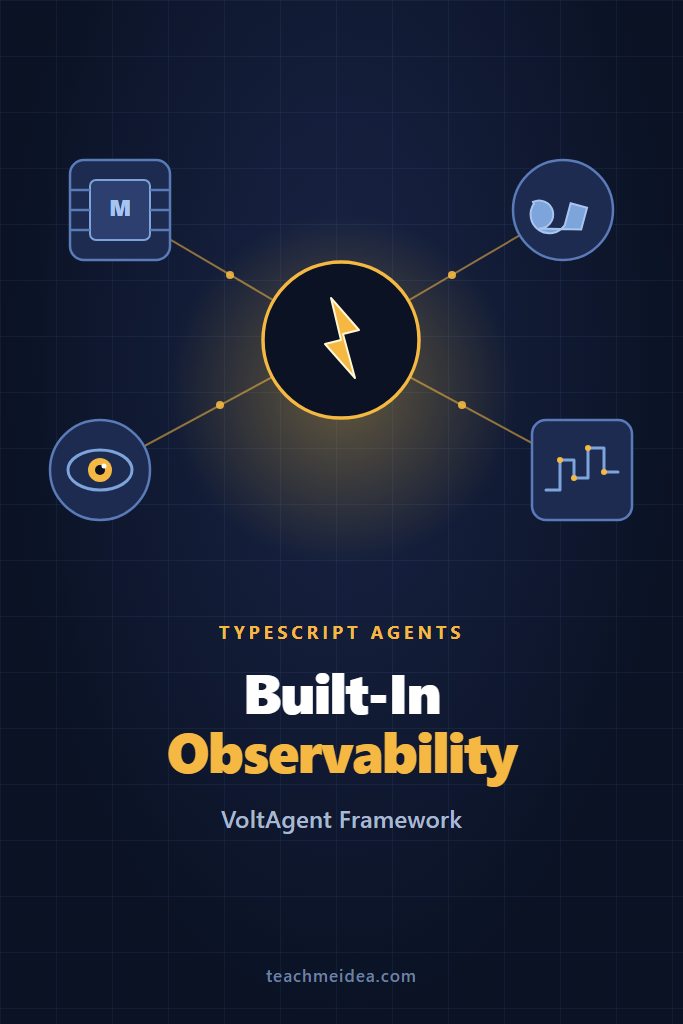
If you’ve built an AI agent in production, you’ve felt the visibility gap. The model returns something unexpected, a tool call silently retries, and your logs show three lines of JSON. VoltAgent TypeScript agents were designed around this pain. The framework ships with a console that traces every LLM call, tool invocation, and subagent handoff out of the box, so you can stop bolting on observability after the fact.
This tutorial is for TypeScript developers who want a production-grade agent framework without stitching together LangChain, OpenTelemetry exporters, and a custom dashboard. You’ll install VoltAgent, build a working agent with tools and memory, wire up multi-agent orchestration, and see the built-in trace viewer in action. By the end, you’ll have a working setup you can extend into a real product.
What Is VoltAgent?
VoltAgent is an open-source TypeScript framework for building AI agents with a strong focus on developer experience and observability. It wraps the Vercel AI SDK to give you model-agnostic agents (OpenAI, Anthropic, Google, Groq, Mistral, and others), then layers on tool definitions with Zod schemas, persistent memory, retrievers for RAG, multi-agent supervisors, and a local console that streams traces over WebSocket.
The framework is roughly two years old at this point, MIT-licensed, and has settled into a stable core. Unlike Python-first frameworks like LangChain or CrewAI, VoltAgent is written for TypeScript developers from the ground up. Tool inputs and outputs are statically typed end-to-end, agent configurations validate at compile time, and the runtime ships as a single @voltagent/core package plus optional add-ons for memory, voice, and providers.
The headline differentiator is the VoltAgent Console. Most TypeScript agent frameworks treat observability as a Phase 2 problem — bring your own LangSmith account, configure OpenTelemetry exporters, write custom logging. VoltAgent ships a hosted console at console.voltagent.dev that connects to your local agent over WebSocket the moment you run npm run dev. You see every prompt, every tool call, every retry, in real time. For production, the same traces can be exported via OpenTelemetry to Datadog, Grafana, or any OTLP-compatible backend.
Why TypeScript-First Agents?
Most agent frameworks were born in Python because that’s where the ML ecosystem lives. But agents in production look more like backend services than ML pipelines. They handle HTTP requests, talk to databases, integrate with internal APIs, and run inside Node.js, Bun, or Deno workloads that your team already deploys.
TypeScript-first frameworks like VoltAgent, Mastra, and the Vercel AI SDK give you compile-time safety on tool inputs and outputs, real autocompletion in your editor, and the ability to reuse your existing service code without spinning up a separate Python microservice. For a backend team already shipping Node, that removes an entire deployment target.
The trade-off is that the TypeScript agent ecosystem is younger than Python’s. Niche capabilities — exotic fine-tuning, research-grade reasoning patterns, certain vector store integrations — still land in Python first. For most product use cases, though, the gap has closed. If you’re building a customer support bot, a sales agent, or an internal copilot, TypeScript-native frameworks are now production-ready.
Installing VoltAgent
The fastest path to a working agent is the CLI scaffold. It generates a complete project with the dev server, console connection, and a sample agent already wired up.
npm create voltagent-app@latest my-agent
cd my-agent
npm install
When the CLI prompts you, pick TypeScript as the language and a model provider. For this tutorial, we’ll use OpenAI, but Anthropic and Google work identically. The generated project structure looks like this:
my-agent/
├── src/
│   └── index.ts          # Agent definitions live here
├── .env                  # API keys
├── package.json
├── tsconfig.json
└── volt.config.ts        # Framework config
Set your API key in .env:
OPENAI_API_KEY=sk-...
Then start the dev server:
npm run dev
You’ll see output like this:
[VoltAgent] Server running on http://localhost:3141
[VoltAgent] Connect to console: https://console.voltagent.dev
[VoltAgent] Agent 'assistant' ready
Open the console URL in a browser. The console auto-detects your local agent over WebSocket and shows the connected agent in the sidebar. No login, no project setup, no API tokens — it just works because the connection is local-first.
Your First Agent: A Customer Support Bot
The scaffolded index.ts defines a basic assistant. Let’s replace it with something more realistic: a customer support agent that can answer questions about an order. Open src/index.ts and replace its contents:
import { Agent, VoltAgent } from "@voltagent/core";
import { openai } from "@ai-sdk/openai";

const supportAgent = new Agent({
  name: "support-agent",
  instructions: `You are a customer support agent for an online store.
    Be concise and professional. If you don't know an answer,
    ask the customer for their order number rather than guessing.`,
  model: openai("gpt-4o-mini"),
});

new VoltAgent({
  agents: {
    support: supportAgent,
  },
});
The Agent class takes three core arguments: a name (used in traces and routing), instructions (the system prompt), and a model from the Vercel AI SDK. The VoltAgent wrapper registers your agents with the runtime and starts the HTTP server and console connection.
Restart npm run dev, open the console, and you’ll see support-agent in the sidebar. Click it, type a message in the chat panel, and watch the trace pane fill in. Each LLM call shows the full system prompt, user message, raw response, token counts, latency, and cost estimate. This is the workflow VoltAgent optimizes for — every interaction is debuggable without adding a single log statement.
The model parameter accepts any Vercel AI SDK provider. To switch to Claude, change the import:
import { anthropic } from "@ai-sdk/anthropic";
// ...
model: anthropic("claude-sonnet-4-5-20250929"),
Because the underlying SDK abstracts streaming, function calling, and structured outputs, your agent code stays identical when you swap providers. This is genuinely useful when you want to A/B test models or fail over between providers.
Adding Tools With Zod Validation
A chatbot that can only talk is barely useful. Real agents need to take actions — query databases, call internal APIs, send emails. VoltAgent tools are defined with Zod schemas, which means the LLM sees a JSON Schema for parameter validation, and your TypeScript code gets full type inference on the tool inputs.
Here’s a tool that looks up order status. Add this above your agent definition:
import { createTool } from "@voltagent/core";
import { z } from "zod";

const lookupOrderTool = createTool({
  name: "lookup_order",
  description: "Look up the status of a customer order by order number",
  parameters: z.object({
    orderNumber: z.string().describe("The order number, e.g. ORD-12345"),
  }),
  execute: async ({ orderNumber }) => {
    // In production, this would hit your real order database
    const order = await fakeOrderDatabase(orderNumber);
    if (!order) {
      return { found: false, message: `No order found for ${orderNumber}` };
    }
    return {
      found: true,
      status: order.status,
      shipDate: order.shipDate,
      trackingNumber: order.trackingNumber,
    };
  },
});

async function fakeOrderDatabase(orderNumber: string) {
  const orders: Record<string, any> = {
    "ORD-12345": {
      status: "shipped",
      shipDate: "2026-05-28",
      trackingNumber: "1Z999AA10123456784",
    },
  };
  return orders[orderNumber] ?? null;
}
Now wire the tool into the agent:
const supportAgent = new Agent({
  name: "support-agent",
  instructions: `...`,
  model: openai("gpt-4o-mini"),
  tools: [lookupOrderTool],
});
Restart the dev server and ask the agent: “What’s the status of order ORD-12345?” In the console trace, you’ll see the agent decided to call lookup_order, the JSON parameters it passed, the result your function returned, and the final response that incorporated the data. The whole chain is visible — no guesswork about whether the tool fired.
Tools are where TypeScript’s type system pays off the most. The execute function’s argument is typed automatically from the Zod schema, so renaming orderNumber in the schema breaks the function signature immediately. For teams that maintain dozens of tools across multiple agents, that compile-time check prevents an entire class of runtime errors.
Built-In Observability: The VoltAgent Console
The console is what sets VoltAgent apart from rolling your own framework on top of the Vercel AI SDK. Every span — agent invocation, LLM call, tool execution, subagent handoff — appears as a tree, with timing, token counts, and full inputs and outputs.
For local development, the WebSocket connection is enough. For production, you want traces persisted and queryable across deployments. VoltAgent supports two export paths. The first is the hosted Telemetry service, configured in volt.config.ts:
import { defineConfig } from "@voltagent/core";

export default defineConfig({
  telemetryExporter: {
    publicKey: process.env.VOLT_PUBLIC_KEY!,
    secretKey: process.env.VOLT_SECRET_KEY!,
  },
});
The second is standard OpenTelemetry, which sends traces to your existing observability stack:
import { NodeSDK } from "@opentelemetry/sdk-node";
import { OTLPTraceExporter } from "@opentelemetry/exporter-trace-otlp-http";

const sdk = new NodeSDK({
  traceExporter: new OTLPTraceExporter({
    url: "https://your-otel-collector.example.com/v1/traces",
  }),
});

sdk.start();
VoltAgent emits spans following OpenTelemetry GenAI semantic conventions, so they slot directly into Datadog, Honeycomb, Grafana Tempo, or any OTLP-compatible backend without custom adapters. If you’re new to setting up observability stacks for backend services, our guide on monitoring and logging microservices with Prometheus and Grafana covers the foundations. This is what makes the framework viable for teams that already have observability standards — you don’t get locked into a proprietary trace format.
Multi-Agent Orchestration With Supervisors
Single agents are fine for narrow tasks. For anything that spans multiple domains — billing, shipping, technical support — a supervisor pattern works better. You define specialized subagents, then a coordinator that routes between them.
const billingAgent = new Agent({
  name: "billing",
  instructions: "Handle billing questions: refunds, invoices, payment methods.",
  model: openai("gpt-4o-mini"),
  tools: [lookupInvoiceTool, processRefundTool],
});

const shippingAgent = new Agent({
  name: "shipping",
  instructions: "Handle shipping questions: tracking, delivery dates, address changes.",
  model: openai("gpt-4o-mini"),
  tools: [lookupOrderTool, updateAddressTool],
});

const supervisor = new Agent({
  name: "support-supervisor",
  instructions: `You coordinate customer support requests.
    Route billing questions to the billing subagent.
    Route shipping questions to the shipping subagent.
    Handle simple FAQ questions directly.`,
  model: openai("gpt-4o"),
  subAgents: [billingAgent, shippingAgent],
});
The supervisor sees its subagents as tools — VoltAgent automatically generates a delegate_to_<name> tool for each one. When the user asks about a refund, the supervisor calls the billing subagent with the relevant context, the subagent runs its own LLM loop with its own tools, and the result bubbles back to the supervisor.
In the trace viewer, this nests cleanly. You see the supervisor span, the delegation tool call, the subagent’s spans underneath, and the final response. Debugging which agent did what becomes obvious — a notable improvement over flat agent loops where every interaction blurs together.
One thing to watch: using a stronger model like gpt-4o for the supervisor and cheaper models like gpt-4o-mini for subagents controls cost without sacrificing routing quality. Routing decisions need reasoning; executing a tool call against a known schema doesn’t.
Adding Memory and RAG to Your Agent
Agents without memory feel broken after the second message. VoltAgent includes a memory abstraction that persists conversation history per-user, plus a retriever interface for grounding responses in your own documents.
For memory, install the LibSQL adapter:
npm install @voltagent/libsql
Then attach it to the agent:
import { LibSQLStorage } from "@voltagent/libsql";

const memory = new LibSQLStorage({
  url: "file:./memory.db",
});

const supportAgent = new Agent({
  name: "support-agent",
  instructions: "...",
  model: openai("gpt-4o-mini"),
  tools: [lookupOrderTool],
  memory,
});
Now each conversation thread maintains history across requests. The memory adapter handles message truncation when context gets close to the model’s limit, so you don’t have to manage rolling windows yourself.
For retrieval-augmented generation, implement the BaseRetriever interface. Here’s a minimal version backed by a vector database:
import { BaseRetriever } from "@voltagent/core";

class ProductDocsRetriever extends BaseRetriever {
  async retrieve(query: string): Promise<string> {
    const results = await pineconeClient.query({
      vector: await embed(query),
      topK: 5,
    });
    return results.matches.map(m => m.metadata.text).join("\n\n");
  }
}

const supportAgent = new Agent({
  // ...
  retriever: new ProductDocsRetriever(),
});
The retriever runs before each LLM call, injecting relevant context into the prompt automatically. If you’re new to RAG, our RAG from scratch guide covers the chunking and embedding decisions that affect retrieval quality more than the framework choice.
When to Use VoltAgent
- You’re building a TypeScript-native production app and want to avoid running a separate Python service for AI
- Observability is a real requirement, not an afterthought — debugging agent behavior in production matters to your team
- Your agents need real tools wired to your existing TypeScript backend code, with end-to-end type safety
- You want to swap model providers without rewriting agent code
- You need multi-agent patterns (supervisors, subagents) without building the routing logic yourself
When NOT to Use VoltAgent
- Your team is Python-heavy and already invested in LangChain, CrewAI, or Pydantic AI — the switching cost rarely pays back
- You need a specific framework feature only available in Python first, such as bleeding-edge research agent patterns or niche tool integrations
- Your use case is a single LLM call with structured output — Vercel AI SDK alone is lighter and avoids the framework overhead
- You’re deploying to environments without WebSocket support and need a different trace transport
Common Mistakes With VoltAgent
A few patterns trip up teams adopting VoltAgent. Most are not framework-specific, but they show up early because the observability surfaces them.
Putting too much logic in instructions. It’s tempting to write a five-paragraph system prompt covering every edge case. In practice, longer prompts increase cost on every call and make agent behavior harder to debug. Instead, keep instructions focused on role and tone, then push procedural logic into tools that the agent invokes deliberately.
Forgetting to validate tool outputs. Zod handles input validation automatically, but tool outputs are returned to the LLM as raw JSON. If your tool returns a 50KB API response, the agent burns context on irrelevant fields and may hallucinate based on noise. Always shape tool outputs to the minimum the agent needs.
Skipping memory limits. The default memory adapter stores everything. For long conversations, this blows past context windows. Configure a max-message limit or summarization strategy from day one, before you ship to real users.
Ignoring trace data in production. The console is great for local development, but its real value comes from production traces. Teams that don’t pipe traces to a persistent backend lose the ability to debug issues from yesterday’s incidents. Set up the OpenTelemetry exporter when you first deploy, not after the first outage.
A Real-World Scenario
A small SaaS team building an internal IT helpdesk agent ran into a classic observability problem during their pilot. The agent worked beautifully in their dev environment, but in production it occasionally returned wrong answers about laptop refresh policies. With no trace data, every bug report turned into a forty-minute investigation involving screen-shares, log searches, and educated guesses.
After migrating from a hand-rolled wrapper around the Vercel AI SDK to VoltAgent with OpenTelemetry traces exported to their existing Grafana stack, the team could open a trace from a support ticket and see exactly which retriever results the model received, which tools it called, and where the reasoning went sideways. Most bugs turned out to be retrieval quality issues — outdated docs in the vector store — not model failures.
The migration itself took roughly a sprint, mostly because they needed to redefine their tools with Zod schemas and add memory persistence. The lasting benefit was that new engineers could understand any agent invocation by reading its trace, instead of reverse-engineering it from prompts and logs.
Final Thoughts
VoltAgent TypeScript agents fit a specific gap: production-grade agent infrastructure for teams already running Node.js, with observability as a first-class feature rather than an integration burden. The Vercel AI SDK foundation keeps you portable across model providers, the Zod-typed tools give you compile-time safety, and the console removes the debugging friction that derails most agent projects.
Start with a single agent and one or two real tools. Wire up the console immediately so you build the habit of reading traces. As your use case grows, add memory, retrievers, and supervisor patterns one at a time. For your next step, compare VoltAgent’s approach to its main TypeScript peer in our Mastra setup guide, or dig into agent fundamentals with building AI agents with tools and planning.