If you deploy a web service with rolling updates and a Postgres database behind it, this post is for you. Zero downtime database migrations come down to one rule: old code and new code run side by side for a while, so every schema change must work for both. The expand and contract pattern is how teams follow that rule. However, it fails in a predictable order, from the column rename that breaks old pods to the final DROP COLUMN that breaks prepared statements. This guide walks through eight of those failure modes. For each one you get the script that causes it, the raw output from a real Postgres 18 instance, and the fix.
Every number below comes from scripts run on the machine listed here. Each script appears in full, so you can run it yourself and compare.
Measured 2026-10-26
Windows 11 Pro (build 26200), AMD Ryzen 5 8600G, 15 GB
PostgreSQL 18.6 (EDB Windows x64 binaries), local, initdb defaults (shared_buffers 128MB)
Node.js 24.22.1 (official win-x64 zip), node-postgres (pg) 8.23.1
accounts: 2,000,000 rows, 204 MB with its primary key. invoices: 2,000,000 rows.
Every test: 3 runs. Every run is shown.
What Is the Expand and Contract Pattern?
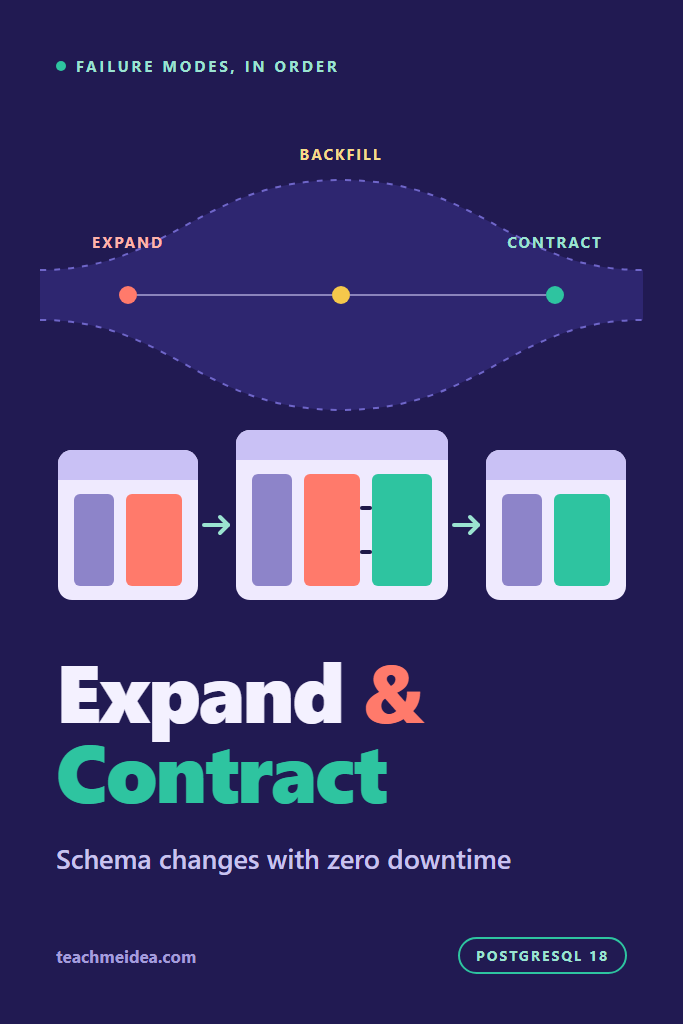
Expand and contract is a way to change a database schema in small, backward-compatible steps. First, you expand: add the new column, table or index next to the old one, and keep both in sync. Next, you move the application over in ordinary deploys. Finally, you contract: remove the old structure once nothing reads it.
The pattern is also called parallel change, and Danilo Sato’s parallel change article on Martin Fowler’s site describes it well. Its core promise is simple. At every moment, both the running version of the app and the one before it can use the schema. As a result, a deploy never needs the database and the code to change at the same instant, which is the one thing a rolling deploy cannot give you.
If you want the broader picture first, including migration tooling and testing, start with the guide to database migrations in production. This post goes deeper on a single question: what actually breaks, and how badly.
The Five Phases of a Zero Downtime Database Migration
Renaming accounts.full_name to display_name takes five phases. Each phase is its own deploy or migration run, and none of them needs downtime:
- Expand: add
display_nameand a trigger that copiesfull_nameinto it on every write. - Backfill: copy existing rows in small batches, keyed on the primary key.
- Switch reads: deploy app code that reads
display_nameand writes both columns. - Stop old writes: deploy code that no longer touches
full_name, then drop the trigger. - Contract: drop
full_nameonce no running version, and no rollback target, reads it.
The rest of this post is about what goes wrong inside those five steps.
Zero Downtime Database Migrations Failure Modes: Quick Reference
| Stage | Failure mode | Measured here | Fix |
|---|---|---|---|
| 1 | Rename in one step | 720 of about 1,210 v1 queries failed per run | Add the new column, keep the old one |
| 2 | ALTER waits behind an open transaction | Every reader stalled about 4.5 s | lock_timeout plus retry |
| 3 | Volatile default or type change | Table rewritten, reads blocked 2.5 to 5.6 s | New column plus backfill |
| 4 | Constraint validated in one step | FK blocked inserts about 840 ms | NOT VALID, then VALIDATE |
| 5 | Index built without CONCURRENTLY | Writes blocked about 450 ms | CREATE INDEX CONCURRENTLY |
| 6 | Backfill in one statement | Writers blocked 7.8 to 8.4 s, table doubled | Batches plus VACUUM |
| 7 | Old pods writing during the backfill | 455 to 549 stale rows per run | A sync trigger, not app code |
| 8 | Contract under prepared SELECT * | Every later query failed | Explicit column lists |
The Test Setup
All tests share one table and one small helper. The helper runs a few clients in a loop and records the latency and error of every query. Consequently, each test can report the exact cost of a migration to the traffic running beside it.
-- seed.sql: two million accounts, the table every test migrates
DROP TABLE IF EXISTS accounts CASCADE;

CREATE TABLE accounts (
  id         serial      PRIMARY KEY,
  email      text        NOT NULL,
  full_name  text,
  plan       text,
  created_at timestamptz NOT NULL DEFAULT now()
);

INSERT INTO accounts (email, full_name, plan)
SELECT 'user' || g || '@example.com',
       'User ' || g,
       (ARRAY['free', 'pro', 'team'])[1 + g % 3]
FROM generate_series(1, 2000000) AS g;

VACUUM ANALYZE accounts;
SELECT pg_size_pretty(pg_total_relation_size('accounts')) AS table_size;
// lib.mjs: connection helper and a load generator that records every query's latency
import pg from 'pg';

export const DB_URL = process.env.DB_URL ?? 'postgres://postgres@127.0.0.1:55433/zd';
export const ROWS = 2_000_000;
export const sleep = (ms) => new Promise((r) => setTimeout(r, ms));

export async function connect() {
  const client = new pg.Client({ connectionString: DB_URL });
  await client.connect();
  return client;
}

// Runs `workers` clients in a loop, each executing `query(client)` with a small pause.
// Returns stop(), which ends the loop and reports latency and error counts.
export async function load({ workers = 4, pauseMs = 10, query }) {
  const clients = await Promise.all(Array.from({ length: workers }, connect));
  const latencies = [];
  const errors = new Map();
  let running = true;

  const loops = clients.map(async (client) => {
    while (running) {
      const start = performance.now();
      try {
        await query(client);
      } catch (err) {
        errors.set(err.message, (errors.get(err.message) ?? 0) + 1);
      }
      latencies.push(performance.now() - start);
      await sleep(pauseMs);
    }
  });

  return async function stop() {
    running = false;
    await Promise.all(loops);
    await Promise.all(clients.map((c) => c.end()));
    latencies.sort((a, b) => a - b);
    return {
      queries: latencies.length,
      maxMs: Math.round(latencies.at(-1) ?? 0),
      over1s: latencies.filter((ms) => ms > 1000).length,
      errors: Object.fromEntries(errors),
    };
  };
}

export const randomId = () => 1 + Math.floor(Math.random() * ROWS);
Four clients with a 10 ms pause is light traffic, roughly 300 queries per second here. That choice is deliberate. With light load, any stall in the numbers comes from the migration, not from the database being busy.
Stage 1: Renaming a Column in One Deploy
The first failure is the reason the pattern exists. A migration renames a column, and the new app code uses the new name. During a rolling deploy, however, old pods keep serving traffic for minutes. Every one of their queries still names the old column.
// rename.mjs: old code keeps reading full_name while a migration changes the column
// usage: node rename.mjs rename   (one-step rename)
//        node rename.mjs expand   (add display_name, leave full_name alone)
import { connect, load, randomId, sleep } from './lib.mjs';

const mode = process.argv[2];
const ddl = {
  rename: 'ALTER TABLE accounts RENAME COLUMN full_name TO display_name',
  expand: 'ALTER TABLE accounts ADD COLUMN display_name text',
}[mode];

// "v1" of the app: still running on every pod during a rolling deploy
const stop = await load({
  workers: 4,
  query: (c) => c.query('SELECT id, full_name FROM accounts WHERE id = $1', [randomId()]),
});

await sleep(2000);
const admin = await connect();
await admin.query(ddl);
await sleep(3000); // a rolling deploy takes minutes; three seconds is enough to count

console.log(mode, await stop());

// put the table back for the next run
await admin.query(mode === 'rename'
  ? 'ALTER TABLE accounts RENAME COLUMN display_name TO full_name'
  : 'ALTER TABLE accounts DROP COLUMN display_name');
await admin.end();
for i in 1 2 3; do node rename.mjs rename; node rename.mjs expand; done
rename {  queries: 1208,  maxMs: 6,  over1s: 0,  errors: { 'column "full_name" does not exist': 720 }}
expand { queries: 1208, maxMs: 4, over1s: 0, errors: {} }
rename {  queries: 1208,  maxMs: 3,  over1s: 0,  errors: { 'column "full_name" does not exist': 720 }}
expand { queries: 1208, maxMs: 3, over1s: 0, errors: {} }
rename {  queries: 1208,  maxMs: 3,  over1s: 0,  errors: { 'column "full_name" does not exist': 720 }}
expand { queries: 1204, maxMs: 3, over1s: 0, errors: {} }
The rename itself was instant, and no query got slower. Instead, every v1 query after the rename failed, 720 per run, which is all of them for the last three seconds. In production that window lasts until the last old pod is gone. Adding a column instead caused zero errors, because old code never asks for a column it does not know about.
The same logic applies to dropping a column, changing its type, or splitting a table. Therefore, the first rule of zero downtime database migrations is that a migration may only add things until every deployed version has stopped using the old shape. Removal waits for its own later deploy.
Stage 2: An Instant ALTER Stuck Behind One Transaction
Once teams switch to additive changes, they usually assume those are safe because they are instant. Adding a nullable column is indeed a catalog-only change. However, it still needs an ACCESS EXCLUSIVE lock for a moment, and Postgres grants locks in queue order.
So if any transaction holds even a read lock on the table, the ALTER waits. Worse, every query that arrives after the ALTER queues behind it, because its lock request conflicts with the waiting exclusive one. The explicit locking chapter lists the conflicts.
// lockqueue.mjs: an instant ADD COLUMN stuck behind one open transaction
// usage: node lockqueue.mjs plain     (ALTER waits as long as it has to)
//        node lockqueue.mjs timeout   (lock_timeout 200ms, retry with backoff)
import { connect, load, randomId, sleep } from './lib.mjs';

const mode = process.argv[2];
const stop = await load({
  workers: 4,
  query: (c) => c.query('SELECT id, email FROM accounts WHERE id = $1', [randomId()]),
});

// A report, a stuck worker, an idle-in-transaction session: anything holding ACCESS SHARE
const holder = await connect();
await holder.query('BEGIN');
await holder.query('SELECT count(*) FROM accounts WHERE id < 100');
const release = sleep(5000).then(() => holder.query('COMMIT'));

await sleep(500);
const admin = await connect();
const started = performance.now();
let attempts = 0;

if (mode === 'plain') {
  attempts = 1;
  await admin.query('ALTER TABLE accounts ADD COLUMN nickname text');
} else {
  await admin.query("SET lock_timeout = '200ms'");
  for (;;) {
    attempts++;
    try {
      await admin.query('ALTER TABLE accounts ADD COLUMN nickname text');
      break;
    } catch (err) {
      if (err.code !== '55P03') throw err; // lock_not_available
      await sleep(Math.min(1000, 100 * 2 ** attempts)); // let the queue drain
    }
  }
}

const ddlMs = Math.round(performance.now() - started);
await release;
await sleep(500);
console.log(mode, { ddlMs, attempts, readers: await stop() });

await admin.query('ALTER TABLE accounts DROP COLUMN nickname');
await Promise.all([admin.end(), holder.end()]);
for m in plain timeout; do for i in 1 2 3; do node lockqueue.mjs $m; done; done
plain {  ddlMs: 4482,  attempts: 1,  readers: { queries: 332, maxMs: 4476, over1s: 4, errors: {} }}
plain {  ddlMs: 4480,  attempts: 1,  readers: { queries: 272, maxMs: 4472, over1s: 4, errors: {} }}
plain {  ddlMs: 4483,  attempts: 1,  readers: { queries: 272, maxMs: 4478, over1s: 4, errors: {} }}
timeout {  ddlMs: 4501,  attempts: 6,  readers: { queries: 1104, maxMs: 217, over1s: 0, errors: {} }}
timeout {  ddlMs: 4483,  attempts: 6,  readers: { queries: 1104, maxMs: 205, over1s: 0, errors: {} }}
timeout {  ddlMs: 4498,  attempts: 6,  readers: { queries: 1104, maxMs: 215, over1s: 0, errors: {} }}
In plain mode, one transaction that held a lock for five seconds froze all four readers for about 4.5 seconds. Total throughput fell to roughly a quarter. In production, that is a full outage for every endpoint that touches the table, caused by a change that takes one millisecond.
With lock_timeout set to 200 ms, the ALTER gave up, backed off and tried again six times. Meanwhile, readers never waited longer than 217 ms. The migration took the same 4.5 seconds either way, because it still had to wait for the long transaction. The difference is who paid for that wait.
Set lock_timeout in every migration session, and have the runner retry on error code 55P03. In addition, idle_in_transaction_session_timeout and the transaction_timeout setting added in Postgres 17 shorten the worst case from the other side. If the wait keeps failing, look for the blocker in pg_stat_activity before forcing anything. Connection trouble often shows up here too, and the post on Postgres connection limit failure modes covers what a lock pile-up does to a pool.
Stage 3: A Default or Type Change That Rewrites the Table
Some ALTER TABLE forms rewrite every row while holding ACCESS EXCLUSIVE, which quietly defeats zero downtime database migrations even when the change is purely additive. Reads and writes both stop until the rewrite finishes. The ALTER TABLE documentation lists the triggers, but they are easy to miss in a review. This test checks the data file’s relfilenode before and after each change. If it changed, Postgres wrote a new copy of the table.
// rewrite.mjs: which ADD COLUMN / ALTER TYPE forms rewrite the table under ACCESS EXCLUSIVE
import { connect, load, randomId, sleep } from './lib.mjs';

const cases = [
  ['add, constant default', 'ADD COLUMN status text NOT NULL DEFAULT \'active\'', 'DROP COLUMN status'],
  ['add, now() default', 'ADD COLUMN migrated_at timestamptz DEFAULT now()', 'DROP COLUMN migrated_at'],
  ['add, clock_timestamp()', 'ADD COLUMN migrated_at timestamptz DEFAULT clock_timestamp()', 'DROP COLUMN migrated_at'],
  ['add, gen_random_uuid()', 'ADD COLUMN public_id uuid DEFAULT gen_random_uuid()', 'DROP COLUMN public_id'],
  // the three type changes run in sequence and leave plan as text again
  ['text to varchar(200)', 'ALTER COLUMN plan TYPE varchar(200)', null],
  ['varchar(200) to (500)', 'ALTER COLUMN plan TYPE varchar(500)', null],
  ['varchar(500) to text', 'ALTER COLUMN plan TYPE text', null],
  ['int id to bigint', 'ALTER COLUMN id TYPE bigint', 'ALTER COLUMN id TYPE integer'],
];

const admin = await connect();
const fileNode = async () =>
  (await admin.query("SELECT relfilenode FROM pg_class WHERE relname = 'accounts'")).rows[0].relfilenode;

for (const [label, change, undo] of cases) {
  const stop = await load({
    workers: 4,
    query: (c) => c.query('SELECT id, email FROM accounts WHERE id = $1', [randomId()]),
  });
  await sleep(300);

  const before = await fileNode();
  const started = performance.now();
  await admin.query(`ALTER TABLE accounts ${change}`);
  const ddlMs = Math.round(performance.now() - started);
  const rewritten = before !== (await fileNode()); // a new data file means a full rewrite

  await sleep(300);
  const { maxMs } = await stop();
  console.log(`${label.padEnd(24)} ddl ${String(ddlMs).padStart(5)} ms  rewrite ${rewritten}  reader max ${maxMs} ms`);
  if (undo) await admin.query(`ALTER TABLE accounts ${undo}`);
}
await admin.end();
for i in 1 2 3; do echo "run $i"; node rewrite.mjs; done
run 1
add, constant default    ddl     7 ms  rewrite false  reader max 11 ms
add, now() default       ddl     5 ms  rewrite false  reader max 3 ms
add, clock_timestamp()   ddl  2497 ms  rewrite true  reader max 2469 ms
add, gen_random_uuid()   ddl  5383 ms  rewrite true  reader max 5347 ms
text to varchar(200)     ddl  3477 ms  rewrite true  reader max 3443 ms
varchar(200) to (500)    ddl     1 ms  rewrite false  reader max 3 ms
varchar(500) to text     ddl     1 ms  rewrite false  reader max 3 ms
int id to bigint         ddl  3147 ms  rewrite true  reader max 3114 ms
run 2
add, constant default    ddl    16 ms  rewrite false  reader max 7 ms
add, now() default       ddl     4 ms  rewrite false  reader max 3 ms
add, clock_timestamp()   ddl  3211 ms  rewrite true  reader max 3176 ms
add, gen_random_uuid()   ddl  5604 ms  rewrite true  reader max 5570 ms
text to varchar(200)     ddl  3566 ms  rewrite true  reader max 3530 ms
varchar(200) to (500)    ddl     1 ms  rewrite false  reader max 16 ms
varchar(500) to text     ddl     1 ms  rewrite false  reader max 3 ms
int id to bigint         ddl  3299 ms  rewrite true  reader max 3264 ms
run 3
add, constant default    ddl    15 ms  rewrite false  reader max 5 ms
add, now() default       ddl     6 ms  rewrite false  reader max 3 ms
add, clock_timestamp()   ddl  3299 ms  rewrite true  reader max 3266 ms
add, gen_random_uuid()   ddl  5597 ms  rewrite true  reader max 5562 ms
text to varchar(200)     ddl  3671 ms  rewrite true  reader max 3634 ms
varchar(200) to (500)    ddl     1 ms  rewrite false  reader max 3 ms
varchar(500) to text     ddl     1 ms  rewrite false  reader max 2 ms
int id to bigint         ddl  3299 ms  rewrite true  reader max 3264 ms
Which Changes Rewrite and Which Do Not
A constant default, and even now(), stayed instant, because Postgres evaluates the default once and stores it in the catalog. In contrast, clock_timestamp() and gen_random_uuid() are volatile, so every row needs its own value. That forced a full rewrite, and readers stalled for the whole time, up to 5.6 seconds on a 204 MB table.
The type changes held one surprise. Shrinking text to varchar(200) rewrote the table in every run, even though no value changed. Postgres skips the rewrite only when the old type is binary coercible to the new one, and a length limit needs a check on every value. Widening varchar(200) to varchar(500), or relaxing it back to text, was instant. Similarly, the classic int to bigint fix for a running-out primary key took 3.1 to 3.3 seconds of full blocking here. Scaled linearly to a 200 GB table, which is optimistic once the table no longer fits in memory, that would be close to an hour.
How to Change a Type Without the Rewrite
The fix is expand and contract again. For a volatile default, add the column with no default, set the default in a second statement (which only affects new rows), and backfill old rows in batches. For a length limit, keep text and add CHECK (char_length(plan) <= 200) NOT VALID, then validate it, as Stage 4 shows. Changing int to bigint follows the same path: add an id_new bigint column, sync it with a trigger, backfill, build a unique index concurrently, and swap the primary key in one short transaction.
Stage 4: Constraints Validated Under an Exclusive Lock
Adding NOT NULL, CHECK or a foreign key normally scans the table to prove existing rows comply. During that scan, the lock blocks writers, and for most constraint types readers too. Postgres has long offered a split: add the constraint NOT VALID, which only checks new writes, then run VALIDATE CONSTRAINT, which scans under a much weaker SHARE UPDATE EXCLUSIVE lock. Notably, Postgres 18 extends NOT VALID to NOT NULL constraints, which previously needed a CHECK workaround.
// constraint.mjs: three ways to make accounts.plan NOT NULL while writers keep writing
import { connect, load, randomId, sleep } from './lib.mjs';

const strategies = {
  'SET NOT NULL': [
    'ALTER TABLE accounts ALTER COLUMN plan SET NOT NULL',
  ],
  'NOT NULL NOT VALID (PG 18)': [
    'ALTER TABLE accounts ADD CONSTRAINT accounts_plan_nn NOT NULL plan NOT VALID',
    'ALTER TABLE accounts VALIDATE CONSTRAINT accounts_plan_nn',
  ],
  'CHECK NOT VALID (PG 12+)': [
    'ALTER TABLE accounts ADD CONSTRAINT accounts_plan_chk CHECK (plan IS NOT NULL) NOT VALID',
    'ALTER TABLE accounts VALIDATE CONSTRAINT accounts_plan_chk',
    'ALTER TABLE accounts ALTER COLUMN plan SET NOT NULL', // skips the scan: the CHECK proves it
    'ALTER TABLE accounts DROP CONSTRAINT accounts_plan_chk',
  ],
};

const admin = await connect();
for (const [name, steps] of Object.entries(strategies)) {
  console.log(name);
  for (const sql of steps) {
    const stop = await load({
      workers: 4,
      query: (c) => c.query('UPDATE accounts SET full_name = full_name WHERE id = $1', [randomId()]),
    });
    await sleep(300);
    const started = performance.now();
    await admin.query(sql);
    const ddlMs = Math.round(performance.now() - started);
    await sleep(300);
    const { maxMs } = await stop();
    console.log(`  ${String(ddlMs).padStart(5)} ms  writer max ${String(maxMs).padStart(5)} ms  ${sql.slice(21)}`);
  }
  await admin.query('ALTER TABLE accounts ALTER COLUMN plan DROP NOT NULL'); // reset
}
await admin.end();
run 1
SET NOT NULL
    142 ms  writer max   128 ms  ALTER COLUMN plan SET NOT NULL
NOT NULL NOT VALID (PG 18)
      1 ms  writer max     9 ms  ADD CONSTRAINT accounts_plan_nn NOT NULL plan NOT VALID
    109 ms  writer max     4 ms  VALIDATE CONSTRAINT accounts_plan_nn
CHECK NOT VALID (PG 12+)
      1 ms  writer max     4 ms  ADD CONSTRAINT accounts_plan_chk CHECK (plan IS NOT NULL) NOT VALID
     94 ms  writer max     3 ms  VALIDATE CONSTRAINT accounts_plan_chk
      1 ms  writer max     3 ms  ALTER COLUMN plan SET NOT NULL
      1 ms  writer max     3 ms  DROP CONSTRAINT accounts_plan_chk
run 2
SET NOT NULL
    135 ms  writer max   120 ms  ALTER COLUMN plan SET NOT NULL
NOT NULL NOT VALID (PG 18)
      1 ms  writer max     4 ms  ADD CONSTRAINT accounts_plan_nn NOT NULL plan NOT VALID
    111 ms  writer max     4 ms  VALIDATE CONSTRAINT accounts_plan_nn
CHECK NOT VALID (PG 12+)
      1 ms  writer max     4 ms  ADD CONSTRAINT accounts_plan_chk CHECK (plan IS NOT NULL) NOT VALID
     95 ms  writer max     3 ms  VALIDATE CONSTRAINT accounts_plan_chk
      2 ms  writer max     3 ms  ALTER COLUMN plan SET NOT NULL
      1 ms  writer max     3 ms  DROP CONSTRAINT accounts_plan_chk
run 3
SET NOT NULL
    137 ms  writer max   124 ms  ALTER COLUMN plan SET NOT NULL
NOT NULL NOT VALID (PG 18)
      1 ms  writer max     3 ms  ADD CONSTRAINT accounts_plan_nn NOT NULL plan NOT VALID
    110 ms  writer max     3 ms  VALIDATE CONSTRAINT accounts_plan_nn
CHECK NOT VALID (PG 12+)
      2 ms  writer max     4 ms  ADD CONSTRAINT accounts_plan_chk CHECK (plan IS NOT NULL) NOT VALID
     99 ms  writer max     3 ms  VALIDATE CONSTRAINT accounts_plan_chk
      1 ms  writer max     3 ms  ALTER COLUMN plan SET NOT NULL
      2 ms  writer max     3 ms  DROP CONSTRAINT accounts_plan_chk
This result is smaller than the usual warning suggests. A plain SET NOT NULL on two million cached rows blocked writers for only 120 to 128 ms. That is because a null check is cheap, and the whole table sat in memory. The cost grows with table size and with how much of the table must come from disk, so a cold multi-gigabyte table behaves very differently. Even so, both split strategies kept writers under 10 ms, and the Postgres 18 form needs two statements instead of four.
Foreign Keys Cost More to Validate
A foreign key check has to look up every referencing row in the parent table. Therefore, it is a better test of the split.
// fk.mjs: adding a foreign key from invoices to accounts, with and without NOT VALID
// usage: node fk.mjs setup   (once: two million invoices, no constraint yet)
//        node fk.mjs run
import { connect, load, randomId, sleep } from './lib.mjs';

const admin = await connect();

if (process.argv[2] === 'setup') {
  await admin.query('DROP TABLE IF EXISTS invoices');
  await admin.query(`CREATE TABLE invoices (
    id bigserial PRIMARY KEY, account_id integer NOT NULL, amount_cents integer NOT NULL)`);
  await admin.query(`INSERT INTO invoices (account_id, amount_cents)
    SELECT 1 + (g::bigint * 7919) % 2000000, 100 + g % 5000 FROM generate_series(1, 2000000) g`);
  await admin.query('VACUUM ANALYZE invoices');
  process.exit(0);
}

const strategies = {
  'one step': [
    'ADD CONSTRAINT invoices_account_fk FOREIGN KEY (account_id) REFERENCES accounts (id)',
  ],
  'NOT VALID, then VALIDATE': [
    'ADD CONSTRAINT invoices_account_fk FOREIGN KEY (account_id) REFERENCES accounts (id) NOT VALID',
    'VALIDATE CONSTRAINT invoices_account_fk',
  ],
};

for (const [name, steps] of Object.entries(strategies)) {
  console.log(name);
  for (const sql of steps) {
    // new invoices keep arriving while the constraint goes on
    const stop = await load({
      workers: 4,
      query: (c) => c.query('INSERT INTO invoices (account_id, amount_cents) VALUES ($1, 500)', [randomId()]),
    });
    await sleep(300);
    const started = performance.now();
    await admin.query(`ALTER TABLE invoices ${sql}`);
    const ddlMs = Math.round(performance.now() - started);
    await sleep(300);
    const { maxMs } = await stop();
    console.log(`  ${String(ddlMs).padStart(5)} ms  writer max ${String(maxMs).padStart(5)} ms  ${sql.split(' (')[0]}`);
  }
  await admin.query('ALTER TABLE invoices DROP CONSTRAINT invoices_account_fk');
}
await admin.end();
run 1
one step
    834 ms  writer max   837 ms  ADD CONSTRAINT invoices_account_fk FOREIGN KEY
NOT VALID, then VALIDATE
      1 ms  writer max     5 ms  ADD CONSTRAINT invoices_account_fk FOREIGN KEY
    868 ms  writer max     4 ms  VALIDATE CONSTRAINT invoices_account_fk
run 2
one step
    845 ms  writer max   845 ms  ADD CONSTRAINT invoices_account_fk FOREIGN KEY
NOT VALID, then VALIDATE
      1 ms  writer max     4 ms  ADD CONSTRAINT invoices_account_fk FOREIGN KEY
    862 ms  writer max     4 ms  VALIDATE CONSTRAINT invoices_account_fk
run 3
one step
    829 ms  writer max   830 ms  ADD CONSTRAINT invoices_account_fk FOREIGN KEY
NOT VALID, then VALIDATE
      1 ms  writer max     4 ms  ADD CONSTRAINT invoices_account_fk FOREIGN KEY
    879 ms  writer max     4 ms  VALIDATE CONSTRAINT invoices_account_fk
Validation took the same time either way, about 850 ms. The difference is entirely in who waited. The one-step form blocked every insert for the full scan, while the split form never made an insert wait longer than 5 ms. Keep in mind that the short ADD ... NOT VALID step still takes a lock, so it still belongs behind the lock_timeout from Stage 2.
Stage 5: Indexes Built Without CONCURRENTLY
A plain CREATE INDEX lets reads continue but blocks every insert, update and delete until the build ends. CREATE INDEX CONCURRENTLY avoids that by scanning the table twice and waiting for older transactions. It is slower, it cannot run inside a transaction block, and it has a failure mode that catches teams out.
// index.mjs: CREATE INDEX vs CONCURRENTLY under writes, then a concurrent build that fails
import { connect, load, randomId, sleep } from './lib.mjs';

const admin = await connect();

for (const ddl of [
  'CREATE INDEX accounts_created_idx ON accounts (created_at)',
  'CREATE INDEX CONCURRENTLY accounts_created_idx ON accounts (created_at)',
]) {
  const stop = await load({
    workers: 4,
    query: (c) => c.query('UPDATE accounts SET created_at = now() WHERE id = $1', [randomId()]),
  });
  await sleep(300);
  const started = performance.now();
  await admin.query(ddl);
  const ddlMs = Math.round(performance.now() - started);
  await sleep(300);
  const { maxMs } = await stop();
  console.log(`${String(ddlMs).padStart(5)} ms  writer max ${String(maxMs).padStart(5)} ms  ${ddl.split(' accounts_')[0]}`);
  await admin.query('DROP INDEX accounts_created_idx');
}

// A unique index on data that is not unique yet: the concurrent build fails halfway
await admin.query("UPDATE accounts SET email = 'user1@example.com' WHERE id = 2");
for (const ddl of [
  'CREATE UNIQUE INDEX CONCURRENTLY accounts_email_key ON accounts (email)',
  'CREATE UNIQUE INDEX CONCURRENTLY IF NOT EXISTS accounts_email_key ON accounts (email)',
]) {
  try {
    await admin.query(ddl);
    console.log('ok:', ddl.slice(0, 50));
  } catch (err) {
    console.log('error:', err.message);
  }
}
const { rows } = await admin.query(`
  SELECT c.relname, i.indisvalid, pg_size_pretty(pg_relation_size(c.oid)) AS size
  FROM pg_index i JOIN pg_class c ON c.oid = i.indexrelid
  WHERE c.relname = 'accounts_email_key'`);
console.log(rows);

// clean up for the next run
await admin.query('DROP INDEX accounts_email_key');
await admin.query("UPDATE accounts SET email = 'user2@example.com' WHERE id = 2");
await admin.end();
run 1
  446 ms  writer max   431 ms  CREATE INDEX
  643 ms  writer max     4 ms  CREATE INDEX CONCURRENTLY
error: could not create unique index "accounts_email_key"
ok: CREATE UNIQUE INDEX CONCURRENTLY IF NOT EXISTS acc
[ { relname: 'accounts_email_key', indisvalid: false, size: '43 MB' } ]
run 2
  470 ms  writer max   456 ms  CREATE INDEX
  668 ms  writer max     4 ms  CREATE INDEX CONCURRENTLY
error: could not create unique index "accounts_email_key"
ok: CREATE UNIQUE INDEX CONCURRENTLY IF NOT EXISTS acc
[ { relname: 'accounts_email_key', indisvalid: false, size: '43 MB' } ]
run 3
  471 ms  writer max   458 ms  CREATE INDEX
  634 ms  writer max     4 ms  CREATE INDEX CONCURRENTLY
error: could not create unique index "accounts_email_key"
ok: CREATE UNIQUE INDEX CONCURRENTLY IF NOT EXISTS acc
[ { relname: 'accounts_email_key', indisvalid: false, size: '43 MB' } ]
The Invalid Index That IF NOT EXISTS Hides
As expected, the concurrent build took about 40% longer, and in exchange writers never waited more than 4 ms.
Its second half, however, shows the real failure. As it should, the unique build failed on one duplicate email. However, it left a 43 MB index behind, marked indisvalid = false. Then the retry with IF NOT EXISTS reported success without doing anything, because an index with that name already existed. A migration tool that retries with IF NOT EXISTS would mark the migration as done while the table has no usable unique index.
According to the CREATE INDEX documentation, an invalid index is ignored by queries but still adds write overhead, and it can keep enforcing uniqueness if the build failed in its second scan. So after any failed concurrent build, drop the index explicitly and rebuild it, or use REINDEX INDEX CONCURRENTLY. Also, add a deploy check that fails when pg_index has any row with indisvalid = false. For choosing which indexes to add in the first place, see the guide to database indexing strategies.
Stage 6: A Backfill in One Statement
After the expand step, the new column is empty, so existing rows need a backfill. In zero downtime database migrations, this is usually the longest-running step. The tempting version is one UPDATE. It is short to write, but it holds a row lock on every row it touches until it commits, and it writes a new version of every row in the table.
// backfill.mjs: copy full_name into display_name for two million rows while writers run
// usage: node backfill.mjs single    (one UPDATE)
//        node backfill.mjs batched   (10,000 ids per transaction)
//        node backfill.mjs vacuum    (batched, plus VACUUM every 200,000 rows)
import { connect, load, randomId, ROWS } from './lib.mjs';

const mode = process.argv[2];
const admin = await connect();
await admin.query('ALTER TABLE accounts ADD COLUMN display_name text');

const size = async () =>
  (await admin.query("SELECT pg_relation_size('accounts') AS b")).rows[0].b / 2 ** 20;
const lsn = async () => (await admin.query('SELECT pg_current_wal_lsn() AS l')).rows[0].l;
const sizeBefore = await size();
const lsnBefore = await lsn();

// the app keeps editing names during the backfill
const stop = await load({
  workers: 4,
  query: (c) => c.query('UPDATE accounts SET full_name = full_name WHERE id = $1', [randomId()]),
});

const started = performance.now();
let slowestBatch = 0;
if (mode === 'single') {
  await admin.query('UPDATE accounts SET display_name = full_name WHERE display_name IS NULL');
} else {
  for (let from = 1; from <= ROWS; from += 10_000) {
    const t = performance.now();
    await admin.query(
      `UPDATE accounts SET display_name = full_name
       WHERE id >= $1 AND id < $2 AND display_name IS NULL`, [from, from + 10_000]);
    slowestBatch = Math.max(slowestBatch, performance.now() - t);
    // every 200,000 rows, let VACUUM mark the old row versions as reusable space
    if (mode === 'vacuum' && (from - 1) % 200_000 === 190_000) await admin.query('VACUUM accounts');
  }
}
const totalMs = Math.round(performance.now() - started);
const writers = await stop();

const { rows } = await admin.query('SELECT pg_wal_lsn_diff(pg_current_wal_lsn(), $1) AS bytes', [lsnBefore]);
console.log(mode, {
  totalMs,
  slowestBatchMs: Math.round(slowestBatch),
  writerMaxMs: writers.maxMs,
  writersOver1s: writers.over1s,
  walMB: Math.round(rows[0].bytes / 2 ** 20),
  tableMB: `${Math.round(sizeBefore)} -> ${Math.round(await size())}`,
});
await admin.end();
Each run starts from a freshly seeded table:
for m in single batched vacuum; do
  for i in 1 2 3; do psql -q -f seed.sql; node backfill.mjs $m; done
done
single {  totalMs: 8503,  slowestBatchMs: 0,  writerMaxMs: 8430,  writersOver1s: 4,  walMB: 655,  tableMB: '161 -> 354'}
single {  totalMs: 8297,  slowestBatchMs: 0,  writerMaxMs: 7844,  writersOver1s: 4,  walMB: 656,  tableMB: '161 -> 354'}
single {  totalMs: 8470,  slowestBatchMs: 0,  writerMaxMs: 8326,  writersOver1s: 4,  walMB: 656,  tableMB: '161 -> 354'}
batched {  totalMs: 6246,  slowestBatchMs: 265,  writerMaxMs: 241,  writersOver1s: 0,  walMB: 663,  tableMB: '161 -> 353'}
batched {  totalMs: 5321,  slowestBatchMs: 42,  writerMaxMs: 20,  writersOver1s: 0,  walMB: 663,  tableMB: '161 -> 353'}
batched {  totalMs: 5322,  slowestBatchMs: 39,  writerMaxMs: 20,  writersOver1s: 0,  walMB: 664,  tableMB: '161 -> 353'}
vacuum {  totalMs: 12347,  slowestBatchMs: 2520,  writerMaxMs: 2465,  writersOver1s: 8,  walMB: 685,  tableMB: '161 -> 209'}
vacuum {  totalMs: 5792,  slowestBatchMs: 36,  writerMaxMs: 27,  writersOver1s: 0,  walMB: 704,  tableMB: '161 -> 209'}
vacuum {  totalMs: 5825,  slowestBatchMs: 54,  writerMaxMs: 31,  writersOver1s: 0,  walMB: 700,  tableMB: '161 -> 209'}
What Batching Fixed, and What It Did Not
The single statement held its locks for over eight seconds, and every writer that touched any row waited for all of it. Batches of 10,000 rows cut the worst writer wait to 20 ms in two runs and 241 ms in the third. Interestingly, the batched version also finished sooner in every run. This test does not isolate why, so treat that as an observation rather than a rule.
Batching did not reduce the other costs. Both versions wrote about 655 to 664 MB of WAL, which every replica must replay. Both also grew the table from 161 MB to 354 MB, since each update leaves a dead row version behind and nothing cleaned them up mid-run. Adding a VACUUM every 200,000 rows let later batches reuse that space, and the table ended at 209 MB instead.
The first vacuum run had one 2.5 second stall. WAL-triggered checkpoints ran during every run in the server log, so they do not explain that one on their own, and this test did not find the cause. Report it, budget for it, and watch replica lag as well as latency during a real backfill.
Stage 7: Old Pods Writing During the Backfill
This failure is specific to expand and contract, and it produces no error at all. The usual plan puts dual writes in application code: version two writes both full_name and display_name. During a rolling deploy, however, version one pods still write only full_name. If one of them updates a row after the backfill has passed it, the two columns silently disagree.
// race.mjs: v1 pods still write only full_name while the backfill runs
// usage: node race.mjs app-only   (dual writes live in v2 code only)
//        node race.mjs trigger    (the database keeps the columns in sync)
import { connect, load, randomId, sleep, ROWS } from './lib.mjs';

const mode = process.argv[2];
const admin = await connect();
await admin.query('ALTER TABLE accounts ADD COLUMN display_name text');

if (mode === 'trigger') {
  await admin.query(`
    CREATE FUNCTION sync_display_name() RETURNS trigger LANGUAGE plpgsql AS $$
    BEGIN
      IF TG_OP = 'INSERT' OR NEW.full_name IS DISTINCT FROM OLD.full_name THEN
        NEW.display_name := NEW.full_name;
      END IF;
      RETURN NEW;
    END $$`);
  await admin.query(`CREATE TRIGGER accounts_sync_display_name
    BEFORE INSERT OR UPDATE ON accounts FOR EACH ROW EXECUTE FUNCTION sync_display_name()`);
}

const newName = () => `Renamed ${Math.random().toString(36).slice(2, 8)}`;
// two pods still on v1, two already on v2
const v1 = await load({ workers: 2, query: (c) =>
  c.query('UPDATE accounts SET full_name = $2 WHERE id = $1', [randomId(), newName()]) });
const v2 = await load({ workers: 2, query: (c) => {
  const name = newName();
  return c.query('UPDATE accounts SET full_name = $2, display_name = $2 WHERE id = $1', [randomId(), name]);
} });

for (let from = 1; from <= ROWS; from += 10_000) {
  await admin.query(`UPDATE accounts SET display_name = full_name
    WHERE id >= $1 AND id < $2 AND display_name IS NULL`, [from, from + 10_000]);
}
await sleep(1000); // the old pods are still draining
const [w1, w2] = [await v1(), await v2()];

const { rows } = await admin.query(`SELECT count(*) FILTER (WHERE display_name IS NULL) AS missing,
  count(*) FILTER (WHERE display_name <> full_name) AS stale FROM accounts`);
console.log(mode, { v1Writes: w1.queries, v2Writes: w2.queries, ...rows[0] });

await admin.query('DROP TRIGGER IF EXISTS accounts_sync_display_name ON accounts');
await admin.query('DROP FUNCTION IF EXISTS sync_display_name()');
await admin.query('ALTER TABLE accounts DROP COLUMN display_name');
await admin.end();
app-only { v1Writes: 766, v2Writes: 763, missing: '0', stale: '455' }
app-only { v1Writes: 979, v2Writes: 981, missing: '0', stale: '549' }
app-only { v1Writes: 924, v2Writes: 922, missing: '0', stale: '517' }
trigger { v1Writes: 1206, v2Writes: 1211, missing: '0', stale: '0' }
trigger { v1Writes: 1169, v2Writes: 1168, missing: '0', stale: '0' }
trigger { v1Writes: 1241, v2Writes: 1244, missing: '0', stale: '0' }
With app-only dual writes, 455 to 549 rows ended up with a stale display_name in each run. That is more than half of all v1 writes, because any v1 write to a row the backfill had already passed stays wrong. Nothing failed, and no log line marks it. The bug surfaces weeks later, after the contract step has already dropped the correct data.
With a trigger, every run ended with zero stale rows. The database applies the sync no matter which version of the app does the write. Consequently, the trigger belongs in the expand migration, before the backfill starts, and it stays until no deployed version writes only the old column. If you also publish events from these writes, the transactional outbox pattern has its own version of this same dual write problem.
Stage 8: The Contract Step That Breaks Prepared Statements
In most zero downtime database migrations, the last step looks like the safest. No code reads the old column anymore, so dropping it should be invisible. However, many drivers and ORMs prepare hot queries on the server and reuse them per connection. If such a statement says SELECT *, its result shape includes the column you are about to drop.
// contract.mjs: dropping a column that no code reads, under prepared statements
// usage: node contract.mjs star      (prepared SELECT *)
//        node contract.mjs explicit  (prepared SELECT with a column list)
import { connect, load, randomId, sleep } from './lib.mjs';

const mode = process.argv[2];
const text = mode === 'star'
  ? 'SELECT * FROM accounts WHERE id = $1'
  : 'SELECT id, email, plan, created_at FROM accounts WHERE id = $1';

const admin = await connect();
await admin.query('ALTER TABLE accounts ADD COLUMN legacy_flag boolean');

// a `name` makes node-postgres prepare the statement once per connection and reuse it,
// which many drivers and ORMs do for hot queries
const stop = await load({
  workers: 4,
  query: (c) => c.query({ name: 'account-by-id', text, values: [randomId()] }),
});

await sleep(1000);
await admin.query('ALTER TABLE accounts DROP COLUMN legacy_flag'); // nothing reads it
await sleep(3000);

console.log(mode, await stop());
await admin.end();
star {  queries: 960,  maxMs: 15,  over1s: 0,  errors: { 'cached plan must not change result type': 720 }}
star {  queries: 964,  maxMs: 9,  over1s: 0,  errors: { 'cached plan must not change result type': 723 }}
star {  queries: 960,  maxMs: 10,  over1s: 0,  errors: { 'cached plan must not change result type': 720 }}
explicit { queries: 960, maxMs: 9, over1s: 0, errors: {} }
explicit { queries: 957, maxMs: 9, over1s: 0, errors: {} }
explicit { queries: 960, maxMs: 9, over1s: 0, errors: {} }
Every prepared SELECT * after the drop failed with cached plan must not change result type, about 720 per run. Moreover, the errors did not stop. All four connections stayed broken for the rest of the test, because the prepared statement survives on the connection and fails again every time. In production that lasts until the pool recycles its connections, which, depending on pool settings, can take hours. The same query with an explicit column list never failed once.
So name your columns in hot queries, and check what your ORM actually sends with log_statement turned on in staging. If a driver prepares SELECT *, either change the query or plan a pool restart right after the contract step. Finally, drop the column only after the rollback window closes, because rolling back to a version that reads full_name is a Stage 1 failure in reverse.
A Migration Worth Copying
Here is the full expand side of the rename, with every lesson above applied. It uses lock_timeout with retries, a sync trigger before the backfill, batched updates with periodic VACUUM, and a final consistency check. It is also safe to re-run after a crash, since each step checks its own state.
// expand.mjs: the expand half of renaming accounts.full_name to display_name
import { connect, sleep } from './lib.mjs';

const db = await connect();
await db.query("SET lock_timeout = '200ms'");

// Every DDL statement goes through here: short lock wait, back off, try again
async function ddl(sql, maxAttempts = 20) {
  for (let attempt = 1; ; attempt++) {
    try {
      return await db.query(sql);
    } catch (err) {
      if (err.code !== '55P03' || attempt === maxAttempts) throw err; // 55P03: lock_not_available
      console.log(`lock busy, attempt ${attempt}: ${sql.split('\n')[0].slice(0, 60)}`);
      await sleep(Math.min(5000, 100 * 2 ** attempt));
    }
  }
}

await ddl('ALTER TABLE accounts ADD COLUMN IF NOT EXISTS display_name text');

// Keep the new column correct for writes from pods that only know full_name
await ddl(`CREATE OR REPLACE FUNCTION sync_display_name() RETURNS trigger
  LANGUAGE plpgsql AS $$
  BEGIN
    IF TG_OP = 'INSERT' OR NEW.full_name IS DISTINCT FROM OLD.full_name THEN
      NEW.display_name := NEW.full_name;
    END IF;
    RETURN NEW;
  END $$`);
await ddl(`CREATE OR REPLACE TRIGGER accounts_sync_display_name
  BEFORE INSERT OR UPDATE ON accounts
  FOR EACH ROW EXECUTE FUNCTION sync_display_name()`);

// Backfill in short transactions, keyed on the primary key, resumable after a crash
const { rows: [{ max }] } = await db.query('SELECT max(id) FROM accounts');
const batch = 10_000;
let touched = 0;
for (let from = 1; from <= max; from += batch) {
  const res = await db.query(
    `UPDATE accounts SET display_name = full_name
     WHERE id >= $1 AND id < $2 AND display_name IS DISTINCT FROM full_name`,
    [from, from + batch]);
  touched += res.rowCount;
  if ((from - 1) % (batch * 20) === batch * 19) await db.query('VACUUM accounts');
}

const { rows: [check] } = await db.query(
  'SELECT count(*) AS out_of_sync FROM accounts WHERE display_name IS DISTINCT FROM full_name');
console.log({ touched, ...check });
await db.end();
On a fresh seed, the first run and an immediate re-run printed:
{ touched: 2000000, out_of_sync: '0' }
rerun
{ touched: 0, out_of_sync: '0' }
The contract side is three statements, run weeks later in a separate deploy:
-- contract.sql: run only after no deployed version, and no rollback target, reads full_name
SET lock_timeout = '200ms';
BEGIN;
DROP TRIGGER accounts_sync_display_name ON accounts;
DROP FUNCTION sync_display_name();
ALTER TABLE accounts DROP COLUMN full_name;
COMMIT;
Dropping a column does not rewrite the table, so this step is fast. It also does not give the disk space back, which only returns when something rewrites the table later.
Real-World Scenario: Widening a User Table Mid-Quarter
Consider a small backend team, three or four engineers, running a SaaS API on Kubernetes with rolling deploys several times a day. Their users table has grown into the tens of millions of rows. A product change needs the single name column split into given_name and family_name, and the team has a few weeks to ship it alongside normal feature work.
The first plan is one migration and one deploy, and it fails review for the reasons in Stage 1. The second plan uses expand and contract but puts the split logic only in the new app version. That is Stage 7 waiting to happen, because the old pods keep writing name for the length of every rollout. The version that ships moves the split into a trigger, so the database owns consistency during the overlap.
This approach has a real cost. The trigger adds a little write cost and one more object to remember to drop. Moreover, the whole change takes three or four deploys spread over a couple of weeks instead of one afternoon. In return, no deploy needs a maintenance window, and every step can be rolled back on its own. If a deploy strategy question comes up alongside it, the comparison of blue-green and canary deployments covers how long two versions overlap under each one, which sets how long the expand phase must last.
When to Use Expand and Contract
- Your app deploys with rolling updates, canaries or blue-green, so two versions share the database at once
- The table is large or hot enough that a lock lasting seconds shows up as errors in user requests
- You need to rename, split, merge or retype a column without a maintenance window
- A rollback must stay possible for a while after each deploy
- Several services or jobs read the same table and cannot all deploy at the same moment
When NOT to Use Expand and Contract
- The service can take a short planned downtime, and the simpler single migration is worth more than the uptime
- The table is small enough that a rewrite finishes in milliseconds and nobody holds long transactions against it
- The change is already additive and safe on its own, such as a new nullable column or a new table
- You deploy everything in one step with the app stopped, as with some internal tools and batch systems
- The team cannot commit to coming back for the contract step, which leaves dead columns and triggers behind for years
Common Mistakes With Expand and Contract
- Running any DDL without
lock_timeout, so one long transaction turns an instant change into an outage - Putting dual writes only in the new app version, which leaves rows written by old pods out of sync
- Backfilling in one
UPDATE, which blocks writers and doubles the table before autovacuum catches up - Trusting
IF NOT EXISTSafter a failedCREATE INDEX CONCURRENTLY, which hides an invalid index - Adding constraints in one step instead of
NOT VALIDfollowed byVALIDATE CONSTRAINT - Dropping the old column while a rollback target still reads it
- Keeping prepared
SELECT *queries, which break on the contract step and stay broken until reconnect - Gating feature launches on schema changes rather than on feature flags, which couples the two timelines again
What Was Not Measured
Several things that matter for zero downtime database migrations in production were outside this test. First, it ran on one local instance with no replicas, so replica lag during the backfill, and the cost of 650 MB of WAL on a real network, are not shown. Second, the tables fit in memory. On a table larger than RAM, every rewrite, scan and validation above gets slower, likely by far more than the size ratio.
Also, the tests used node-postgres only. Other drivers prepare statements on their own rules, so whether Stage 8 hits your stack depends on your driver and pool settings. Similarly, managed Postgres services, connection poolers in transaction mode, and logical replication were not part of any run. Finally, MySQL and other databases have different locking and online DDL rules, and none of these numbers transfer to them.
Conclusion
Zero downtime database migrations fail in a fairly steady order: first the one-step rename, then the lock queue, then rewrites, constraints and indexes, then the backfill, and last the contract step itself. The measurements here put a number on each one. A single open transaction stalled every reader for 4.5 seconds, a one-statement backfill blocked writers for over eight, and app-only dual writes left hundreds of silently wrong rows per run.
The fixes are all small: lock_timeout with retries, NOT VALID then VALIDATE, CONCURRENTLY with a check for invalid indexes, batched backfills, a sync trigger, and explicit column lists. Start by adding lock_timeout and the retry wrapper from expand.mjs to your migration runner today, since that one change covers every stage above. Then read the database migrations in production guide to fit these steps into your existing tooling.