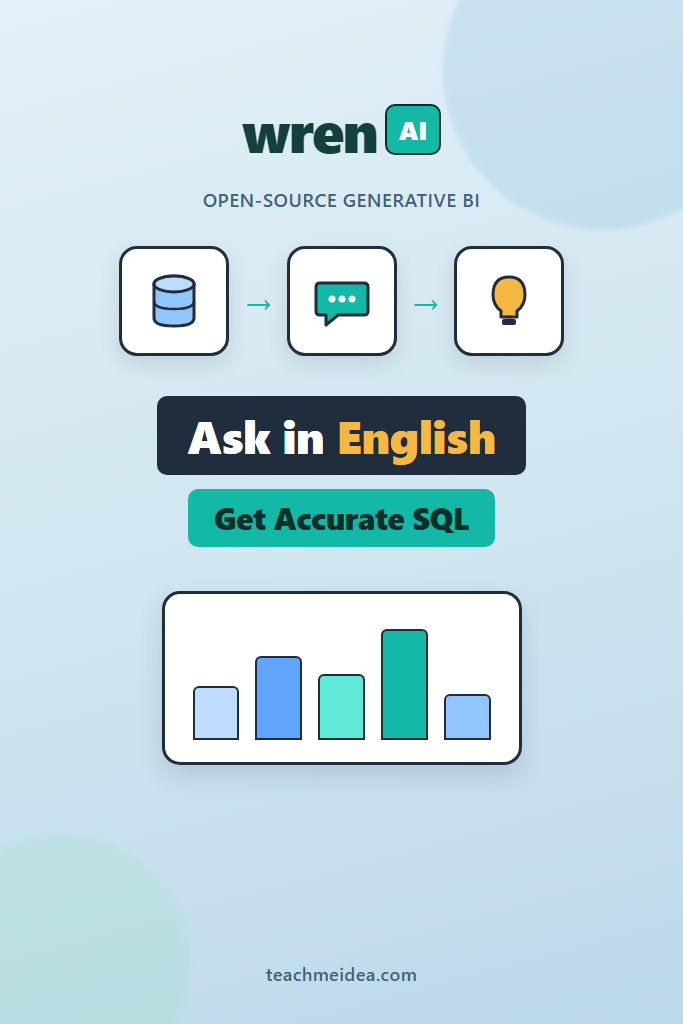
If your team keeps pinging engineers for “just one quick query,” you already understand the bottleneck. Business questions outnumber the people who can write SQL, and most text-to-SQL tools fall apart the moment a schema gets messy. Wren AI takes a different angle. It is an open-source generative BI agent that sits on top of your database, learns the business meaning behind your tables through a semantic layer, and answers natural language questions with SQL you can actually trust.
This guide is for backend engineers, data engineers, and technical founders who want self-hosted text-to-SQL without shipping their schema to a closed SaaS. You will learn what Wren AI is, how its architecture produces grounded SQL, how to install and connect it to Postgres, how to model your data so answers stay accurate, and how to swap in a local LLM. By the end, you will know exactly when Wren AI fits and when a plain query tool serves you better.
What Is Wren AI?
Wren AI is an open-source generative BI (GenBI) agent that lets data, product, and business teams explore a database through chat. It converts plain-English questions into SQL, runs them, and returns results as tables, charts, or summaries. Crucially, it grounds every query in a semantic model instead of relying on the raw schema alone, which is what separates it from a thin GPT-over-SQL wrapper.
The project is maintained by Canner and licensed under AGPL, so you can run the entire stack on your own infrastructure. That matters when your data includes customer records, financial figures, or anything you would rather not pipe through a third-party analytics vendor. Because it speaks SQL underneath, Wren AI works with the databases you already operate rather than asking you to migrate.
Generative BI here means more than autocomplete. The agent plans a query, validates it against your model, executes it, and can follow up with charts or natural language explanations. In practice, it behaves less like a search box and more like a junior analyst who already read your data dictionary.
How Wren AI Generates Accurate SQL
Most text-to-SQL failures come from missing context. A column called amt could be revenue, refunds, or shipping cost, and the model has no way to know. Wren AI closes that gap with a layered architecture that injects business meaning before the LLM ever writes a query.
The system has three core layers:
- Wren UI — the local web interface where you connect data, define relationships, and chat with your data.
- Wren AI Service — the retrieval and generation engine that handles prompting, SQL generation, and validation.
- Wren AI Core — the semantic and modeling layer (formerly the Wren Engine) that supplies business context and executes queries across data sources.
When you ask a question, the service retrieves the relevant parts of your semantic model, builds a grounded prompt, asks the LLM for SQL, and then validates that SQL before running it. This retrieval-augmented approach is the same idea behind document-based RAG, applied to schema and business logic instead of text. If you want the underlying mental model, our walkthrough on building RAG from scratch explains the retrieve-then-generate pattern that powers this kind of grounding.
The Role of MDL (Modeling Definition Language)
Wren AI uses a Modeling Definition Language, or MDL, to describe what your data actually means. MDL captures models, relationships, calculated fields, and business-friendly names so the agent reasons about “monthly recurring revenue” rather than a cryptic mrr_cents column. Because the model encodes joins and metrics once, the LLM does not have to rediscover them on every question, which sharply reduces wrong-join and wrong-aggregation errors.
Think of MDL as the contract between your messy physical schema and the clean business vocabulary your stakeholders use. The better that contract, the better the SQL. This is also why Wren AI tends to beat schema-only tools: it answers from a curated model, not from raw information_schema dumps.
Prerequisites
Before installing, make sure you have the following ready. Wren AI ships as a set of containers, so the requirements are modest:
- Docker Desktop 4.17 or later, running. On Apple Silicon, enable Rosetta 2 in Docker settings.
- An LLM provider API key. OpenAI is the recommended default, though you can configure a custom or local provider later.
- Database connection details for the source you want to query (host, port, user, password, database name).
- Free local ports, since the UI defaults to
http://localhost:3000.
If Docker is new to you, our notes on using Docker for local development cover the common setup pitfalls that trip people up before they even start the launcher.
Step 1: Install Wren AI With the Launcher
The recommended path is the Wren AI Launcher, a small binary that pulls the right images and wires the containers together. Pick the command for your platform and run it in a terminal.
# macOS (Apple Silicon)
curl -L https://github.com/Canner/WrenAI/releases/latest/download/wren-launcher-darwin-arm64.tar.gz \
  | tar -xz && ./wren-launcher-darwin-arm64

# Linux (Intel)
curl -L https://github.com/Canner/WrenAI/releases/latest/download/wren-launcher-linux.tar.gz \
  | tar -xz && ./wren-launcher-linux
On Windows, download and extract wren-launcher-windows.zip, then run wren-launcher-windows.exe as administrator. The launcher will start an interactive prompt.
The setup flow asks a few questions:
- Select your LLM provider (OpenAI or custom).
- Enter your OpenAI API key with full permissions.
- Choose a generation model.
- Wait for the images to pull and the stack to start.
When it finishes, open http://localhost:3000. You should land on the onboarding screen. If you prefer a non-interactive launch for scripting or CI, pass the flags directly:
# Launch without the interactive prompt
./wren-launcher-linux \
  -llm-provider openai \
  -openai-api-key "$OPENAI_API_KEY" \
  -openai-generation-model gpt-4o-mini
A quick note on cost control: text-to-SQL prompts are small compared to long-document RAG, but they add up across a busy team. Picking an efficient generation model like gpt-4o-mini for routine questions keeps your bill predictable while you evaluate the tool.
Step 2: Connect Your Database
Wren AI connects to a wide range of SQL backends, so you rarely need to move data first. Supported sources include:
| Category | Supported sources |
|---|---|
| Cloud warehouses | BigQuery, Snowflake, Amazon Redshift, Amazon Athena |
| Relational | PostgreSQL, MySQL, Microsoft SQL Server, Oracle |
| Analytical / other | ClickHouse, Trino, DuckDB |
To connect Postgres, choose PostgreSQL on the data source screen and fill in the connection fields. Use a read-only role wherever possible, since the agent only needs to query, not write.
-- Create a read-only role for Wren AI to use
CREATE ROLE wren_readonly WITH LOGIN PASSWORD 'change_me';
GRANT CONNECT ON DATABASE analytics TO wren_readonly;
GRANT USAGE ON SCHEMA public TO wren_readonly;
GRANT SELECT ON ALL TABLES IN SCHEMA public TO wren_readonly;

-- Make sure future tables are readable too
ALTER DEFAULT PRIVILEGES IN SCHEMA public
  GRANT SELECT ON TABLES TO wren_readonly;
Creating a dedicated read-only role is not optional housekeeping. It is the single most effective guardrail against an LLM-generated query doing something destructive, and it limits blast radius if a credential leaks. If you want to push this further, a connection pooler in front of the role caps concurrent queries; our guide on database connection pooling with PgBouncer shows how to set sensible limits.
After Wren AI connects, it introspects your tables so you can select which ones to import into the model. Start with the handful of tables that answer most questions rather than importing everything at once.
Step 3: Model Your Data With MDL
This is the step that separates a useful Wren AI deployment from a frustrating one. The agent is only as accurate as the semantic model you give it, so invest here. In the modeling view, you do three things.
First, define relationships. Tell Wren AI that orders.customer_id joins customers.id as a many-to-one relationship. Once defined, the agent stops guessing joins and starts using yours.
Second, add calculated fields and metrics. If “revenue” means quantity * unit_price minus refunds, encode that once as a calculated field. Now every question about revenue resolves to the same definition, which kills the inconsistency that plagues ad-hoc SQL.
Third, write descriptions. A one-line description on each model and column gives the retrieval layer something meaningful to match against. A column named status with the description “order fulfillment state: pending, shipped, delivered, cancelled” produces dramatically better SQL than a bare column name.
Here is the kind of relationship and metric you are encoding conceptually:
Model: orders
  - relationship: orders.customer_id -> customers.id (MANY_TO_ONE)
  - calculated field: net_revenue = SUM(quantity * unit_price) - SUM(refund_amount)
  - description: "One row per placed order, including cancelled orders"

Model: customers
  - description: "Registered customers; region field uses ISO country codes"
You do not hand-write MDL JSON for most workflows; the UI generates it as you click. Still, understanding that this model is what the LLM sees explains why thoughtful modeling pays off on every future question.
Step 4: Ask Questions and Iterate
With a model in place, open the chat and ask something real, like “What was net revenue by region last quarter?” Wren AI retrieves the relevant models, generates SQL, runs it, and shows both the result and the query it wrote. Always glance at the generated SQL during evaluation. Reading it tells you whether the model understood your intent or quietly picked the wrong join.
When an answer is wrong, the fix is almost never “prompt harder.” Instead, trace it back to the model. A missing relationship, an undefined metric, or a vague description is usually the culprit. Add the missing context, then re-ask. Over a week or two of this loop, accuracy climbs sharply because you are teaching the model the same things you would teach a new analyst.
For recurring questions, save them. Wren AI can store curated queries and definitions as project knowledge, which both speeds up answers and reinforces consistent business logic across the team.
Step 5: Self-Host With a Local LLM
The launcher defaults to OpenAI, but the whole point of an open-source tool for many teams is keeping data in-house. Wren AI supports custom providers through a config.yaml that the launcher writes into its working directory (commonly under ~/.wrenai). The service uses LiteLLM-style model definitions, so any OpenAI-compatible endpoint works, including a local Ollama instance.
A custom configuration defines the LLM, the embedder, and the document store separately. The shape looks like this:
# config.yaml (illustrative structure — check the docs for current keys)
type: llm
provider: litellm_llm
models:
  - model: openai/gpt-4o-mini        # routed via LiteLLM
    api_base: http://host.docker.internal:11434/v1   # local Ollama
    kwargs:
      temperature: 0
      n: 1

---
type: embedder
provider: litellm_embedder
models:
  - model: openai/nomic-embed-text
    api_base: http://host.docker.internal:11434/v1

---
type: document_store
provider: qdrant
location: http://qdrant:6333
embedding_model_dim: 768
Two details matter when wiring up local models. First, from inside the containers, your host machine is reachable at host.docker.internal, not localhost, so point api_base there. Second, the embedding_model_dim must match the vector size your embedding model actually outputs, or retrieval will fail silently. If embeddings and vector dimensions are unfamiliar territory, our explainer on pgvector and Postgres for RAG covers how dimensions and similarity search fit together.
Run a smaller model first to confirm the plumbing works, then scale up. Local text-to-SQL with a 7B or 8B model is usable for straightforward questions, though complex multi-join analytics still benefit from a stronger model. Configuration specifics shift between releases, so treat the snippet above as a map and confirm exact keys against the current Wren AI documentation before deploying.
When to Use Wren AI
- Non-technical stakeholders repeatedly need data answers and engineers are the bottleneck.
- You want self-hosted text-to-SQL and cannot send schemas or rows to a closed SaaS.
- Your questions span well-defined tables where a semantic model can capture the business logic clearly.
- You already run a supported SQL database and want answers without building a BI dashboard for every question.
- You need consistent metric definitions across a team that currently writes divergent ad-hoc SQL.
When NOT to Use Wren AI
- Your analytics live in spreadsheets or unsupported sources with no SQL layer to point at.
- You need fully deterministic, audited reporting where every number must be hand-verified; generated SQL still needs review.
- The schema is tiny and stable, and a couple of saved queries already serve everyone.
- You lack the time to model relationships and metrics, since an unmodeled deployment produces unreliable answers.
- Latency-critical embedded analytics need sub-second pre-built queries, not on-the-fly generation.
Common Mistakes With Wren AI
- Importing every table at once, which floods retrieval with noise and degrades SQL quality.
- Skipping descriptions and relationships, then blaming the LLM when joins come out wrong.
- Granting write access instead of a read-only role, leaving the door open to destructive generated queries.
- Trusting answers without reading the generated SQL during the evaluation phase.
- Pointing a local model’s
api_baseatlocalhostfrom inside Docker instead ofhost.docker.internal. - Mismatching
embedding_model_dimwith the embedder’s real output size, which breaks retrieval quietly.
A Realistic Rollout Scenario
Picture a mid-sized SaaS company where a small data team fields dozens of “can you pull…” requests every week. Most are variations on revenue, churn, and signups sliced by plan or region. The team stands up Wren AI against their Postgres analytics replica using a read-only role, then spends a few days modeling the ten tables behind those recurring questions.
Early on, answers are mixed. A revenue question double-counts because refunds were not modeled, and a churn query joins the wrong date column. Rather than abandoning the tool, the team treats each miss as a modeling gap, adding the refund metric and a clear description on the subscription dates. Within a couple of weeks, the common questions resolve correctly on the first try, and product managers self-serve the routine asks. The data team keeps ownership of the hard, novel analyses while reclaiming hours previously lost to repetitive queries. The trade-off is real: the model needs maintenance as the schema evolves, and complex one-off questions still land back on the experts.
How Wren AI Compares to Other Text-to-SQL Tools
Wren AI is not the only option in this space, and the right pick depends on how much structure you want. Tools like Vanna lean on a train-by-example approach where you feed question-and-SQL pairs; our guide on Vanna 2.0 for Postgres text-to-SQL walks through that workflow. Wren AI instead front-loads a semantic model, which costs more setup but pays off in consistency once defined.
Wren AI also exposes an MCP server, letting agents and assistants query your modeled data through the Model Context Protocol. If you are building agentic workflows, our overview of the MCP protocol explains how that integration slots into a broader tool-using agent. For raw query performance once Wren AI generates SQL, the usual database fundamentals still apply, so keep our notes on PostgreSQL performance tuning handy when generated queries hit large tables.
Conclusion
Wren AI brings open-source generative BI to the databases you already run, turning natural language into grounded SQL through a semantic model rather than schema guesswork. The setup is straightforward: install with the launcher, connect a read-only database role, and invest real effort in modeling relationships, metrics, and descriptions. That modeling work is where accuracy comes from, and it is the difference between a demo and a tool your team relies on.
Start small. Connect Wren AI to a replica, model the handful of tables behind your most repeated questions, and iterate on the misses until the common asks resolve cleanly. From there, explore self-hosting with a local LLM to keep everything in-house. If you want to compare approaches before committing, read our breakdown of Vanna 2.0 text-to-SQL to see how a training-based agent stacks up against Wren AI’s semantic-layer design.